
Reference No: 23887
(V 02.00.06-00)
Details
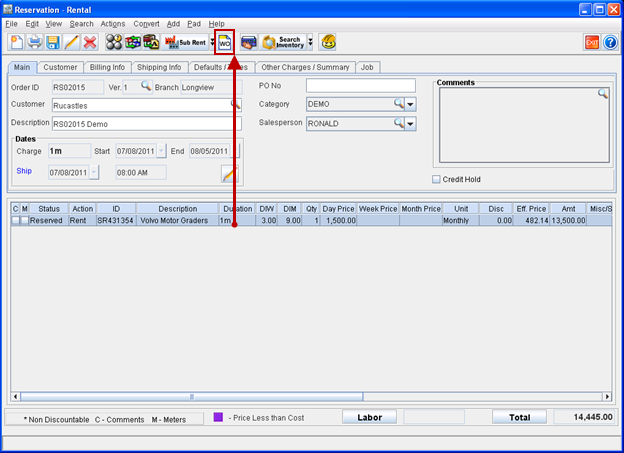
In CR2, you can create work orders for an asset directly from within the Rental Order in which is added. A Work Order can be created for an asset, by highlighting a asset line and following clicking Work Order icon, as shown in Figure 1.0.
Figure 1.0
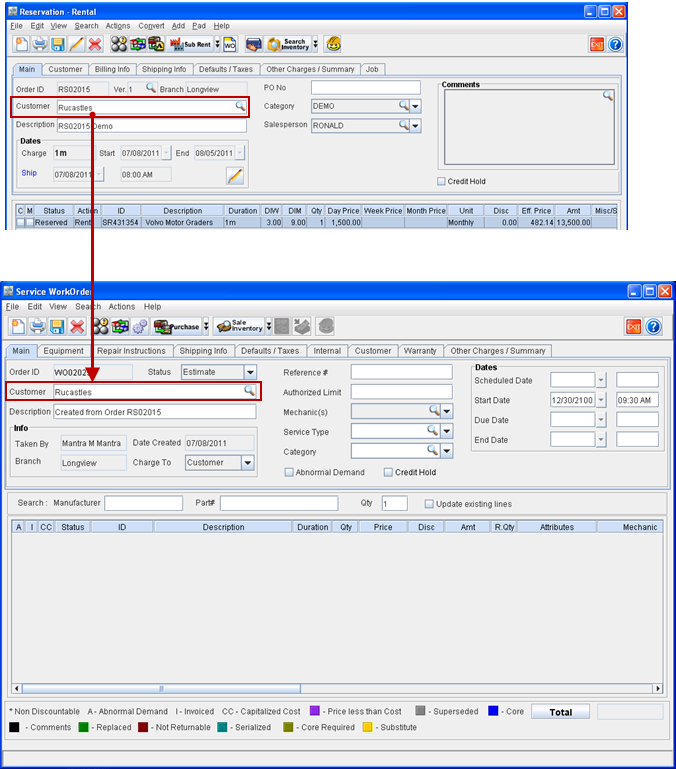
On creating a work order, the selected asset will be tagged as a unit in the created work order and the work order customer information will be defaulted from the order customer. Refer Figure 1.1 and Figure 1.2.
Figure 1.1
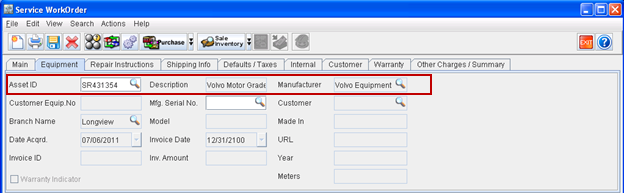
Figure 1.2
-
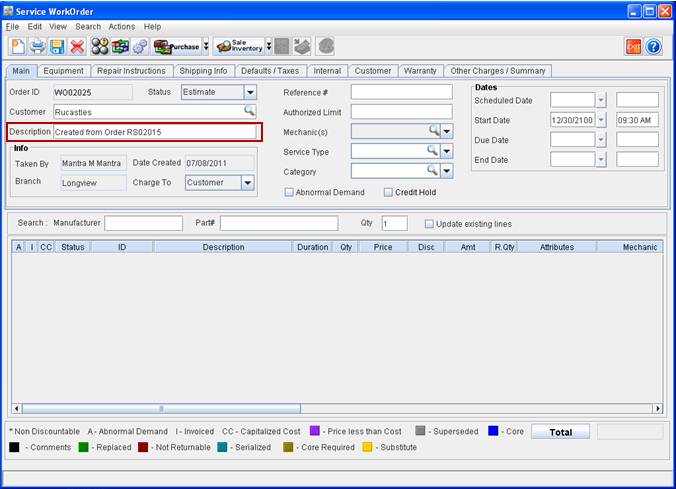
The description for the Work Order created from within rental order will be updated as "Created from Order <Rental Order Id ". For example, Created from Order RS02015. Refer Figure 1.3.
Figure 1.3
-
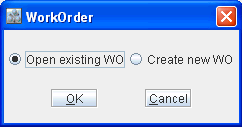
On clicking on Work Order icon by highlighting an Asset having work order previously created , system will display a dialog (Refer Figure 1.4), wherein you can select to use the existing work order or create a new work order for the asset.
Figure 1.4
-
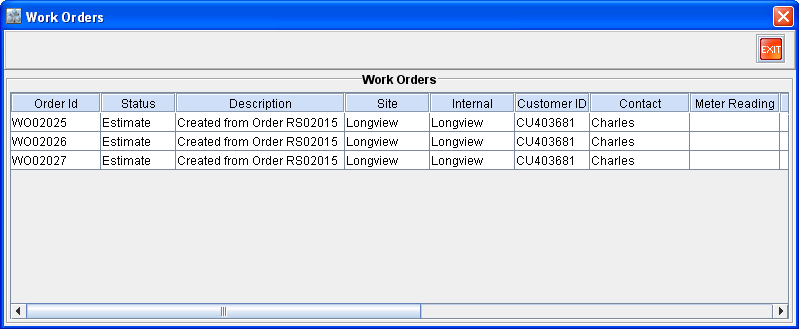
On clicking OK button with the option "Open existing WO" selected, system will display the list of work orders which are created for the selected asset (Refer Figure 1.5) from within the current rental order. You can choose any of the work orders from the available list for usage.
Figure 1.5
-
On clicking OK button with the option "Create new WO" selected, system will create a new Work Order for the selected asset.