
Reference No: 26397
(V 02.00.19-00)
Details
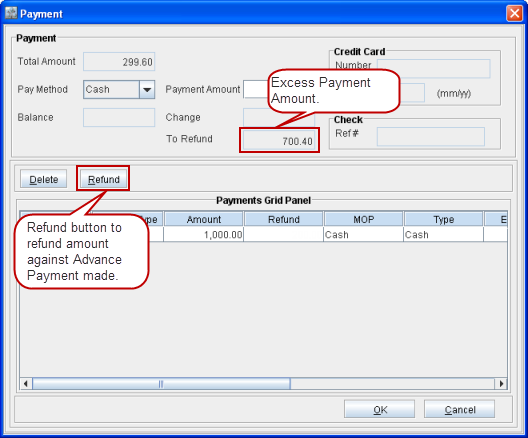
The Payment made on an Order of Payment Type as Advance or Cash can be refunded by clicking the Refund button from within the Payment dialog box. The Payments window is accessed by clicking Actions > Pay Advance from the Order window.
If the Payment made exceeds the Order Total Amount, then the difference amount is displayed in the To Refund field. Refer Figure 1.0.
Figure 1.0 Refund Button and To Refund Field in Payment Dialog Box
On clicking the Refund button, the Refund dialog box is displayed. Type the amount to be refunded in the Refund Amount field and press ENTER, the refunded amount line is displayed under the Refunds section, as shown in Figure 1.1.
Figure 1.1 Refunding Amount
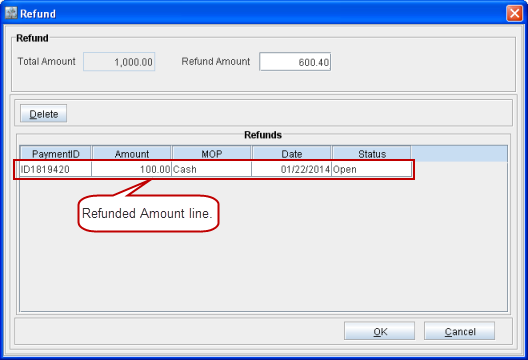
Note: Amount can be refunded only till the extent of the amount paid. If it exceeds the payment amount then the system displays an error message "Payment Exceeded!".