
Reference: 19942
(V 01.00.92-00)
Details
Support has been now provided by adding a new section 'Discount' with fields Type, Percentage and Amount in the Sub Total tab of Rental Order, RPO, Sales, Part Sales Order, Rental Quote Orders and Work Orders by which the user will be able to calculate the discount of the Orders based on the Fixed amount.
Discount Section in All the Orders except Work Orders
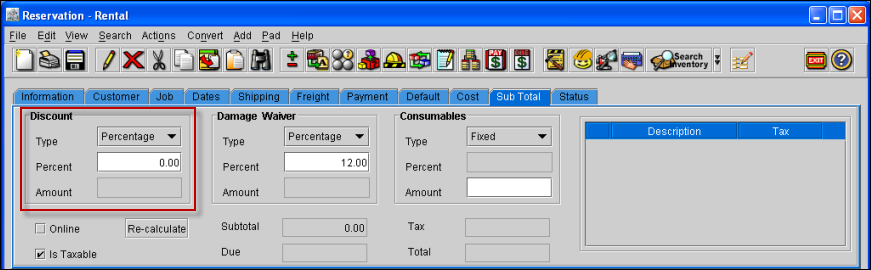
The Discount Section will be present in all the Orders except Work Orders as shown in Figure 1.0.
Figure 1.0 Discount Section in All Orders Except Work Orders
Discount Section in Work Orders
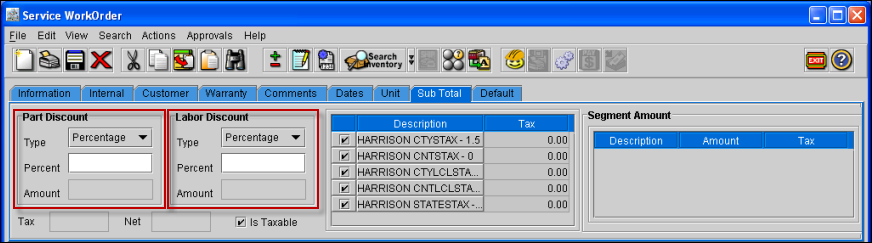
The Discount Section will be present in Work Orders as shown in Figure 1.1.
Figure 1.1 Discount Section in Work Orders
Functionality
-
The Type field of the Discount section has two option 'Fixed' and 'Percentage'.
-
On creating a new order or opening old orders, the discount type will be defaulted to 'Percentage' for which the calculation of the discount will work as before.
-
On selecting the Type as 'Percentage' the Percent field will be enable and Amount field will be disable.
-
On selecting the Type as 'Fixed' the Percent field will be disable and Amount field will be enable.
-
On changing the discount type from Percentage to Fixed, the values will get reset.
-
If the type selected is Fixed, then system will allow to change only amount and vice versa.
-
The Fixed discount amount applied will be applied to only discountable items.
-
On applying the discount by Amount, system will display the discount percentage and vice versa.
-
While applying the discount by amount, it will consider the already applied line level, sub total level and section level discounts.
-
If the entered Discount amount exceeds the total discountable amount of order, then no discount will be applied.
-
The amount will be calculated on clicking Save, Refresh and Total buttons after applying the discount amount.
-
In Work Orders, Parts discount will be applied considering only the part lines and labor discount will be applied considering only for Labor lines.