Reference: 23749
Details
In Service Work Order window, changes have been made for enhanced usability and visual presentation. Refer below sections for details of changes.
Changes in Tabs
Renaming of Tabs
In the Equipment Sale Order (Reservation) window, the below listed tabs have been renamed.
|
Tab Previous Name |
Tab Current Name |
|
Information |
Main |
|
Unit Tab |
Equipment |
|
Comments |
Repair Instructions |
|
Sub total |
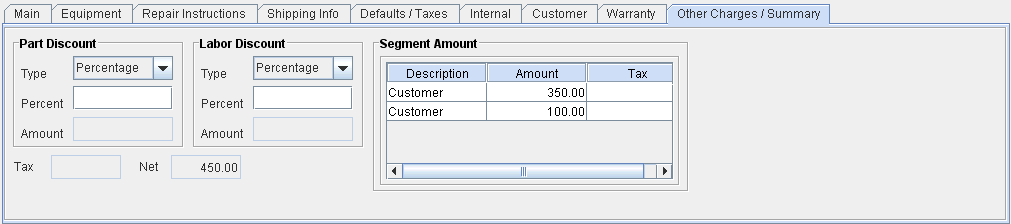
Other Charges / Summary |
|
Default |
Defaults / Taxes |
Removal of existing tabs
The below listed tabs have been removed from the tab list of Service Work Order window.
-
Dates ( Note: Date fields and edit dates feature will be available in the Main Tab).
-
Misc. (The fields present in the Misc. Tab is distributed into the tabs 'Defaults/ Taxes' and 'Shipping Info.' Refer repositioning of fields section for more info)
Addition of New Tab
A new tab ' Shipping Info.' has been in the Service Work Order window list.
Fields present in Shipping Info
-
Payment Terms
-
Pay Type
-
Ship Via
-
Location
-
Address
Changes in Fields
Addition of new fields
|
|
Field |
Description |
Tab Name |
|
1 |
Customer |
Displays Order Customer/Allows to change order customer. |
Main Tab (previously Information tab) |
Repositioning of fields
The below listed fields and sections have been repositioned to other tabs.
|
Field |
Field Previous Location |
Field Current Location |
Comments |
|
Expense Branch |
Information Tab |
Defaults / Taxes |
|
|
Pay Type |
Information Tab |
Shipping Info. |
|
|
Date Fields |
Dates Tab |
Main Tab |
|
|
Tax Details section |
Sub Total Tab |
Defaults / Taxes |
Displays list of tax schedules applied on the order. |
|
Is Taxable (check box) |
Sub Total Tab |
Defaults / Taxes |
|
|
Ship Info Fields
|
Default |
Shipping Info. |
|
Removal of Fields
The Comments field which was present in the Information Tab (Now 'Main Tab) is removed from the field list.
Renaming of Fields
The below mentioned fields have been renamed in the Service Work Order tabs.
|
|
Field - Old Name |
Field - New Name |
Order Tab |
|
1 |
Customer Reference # |
Reference # |
Main Tab (Previously Information Tab) |
|
2 |
Assigned To |
Mechanic(s) |
Main Tab (Previously Information Tab) |
Changes in Tool Bar Icons
Removal of Icons from Tool Bar
The below listed icons have been removed from the Tool Bar icon list.
|
Icon |
Feature |
Feature - Alternate Access Location |

|
Payments |
Actions Menu - Payments |

|
Print Bill of lading |
File Menu - Print Bill of Lading |

|
Create Parts Order |
Actions Menu - Create Parts Order |

|
Comments |
Order line - Right click menu - Comments |

|
Assign |
Actions - Assign |

|
Expand / Collapse |
Order Line - Right Click Menu - Expand/Collapse. |

|
Find |
Edit Menu - Find |

|
Paste |
Edit Menu - Paste |

|
Copy from Order. |
Actions Menu - Copy From Order |

|
Copy |
Edit Menu - Copy |

|
Cut |
Edit Menu - Cut |
Illustrations - Service Work Order Window Tabs - After Change
Figure 1.0 Service Work Order Tool Bar

Figure 1.1 Main Tab
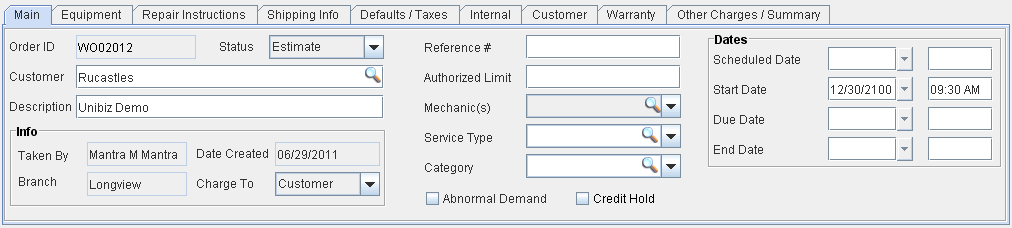
Figure 1.2 Equipment Tab
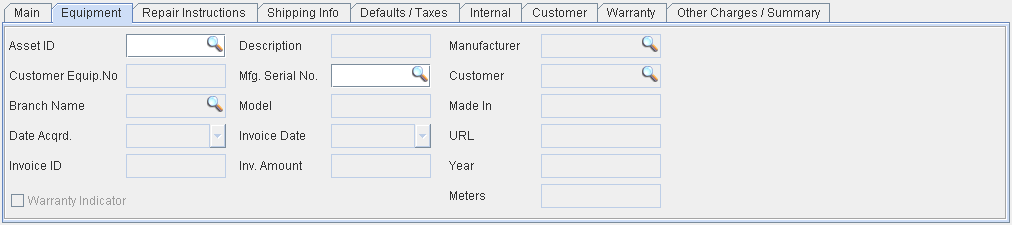
Figure 1.3 Repair Instructions Tab
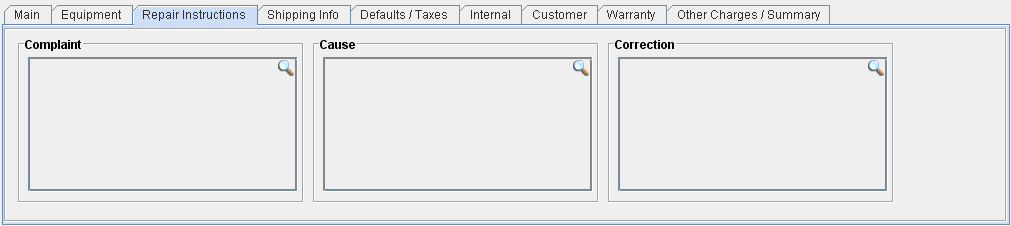
Figure 1.4 Shipping Info Tab
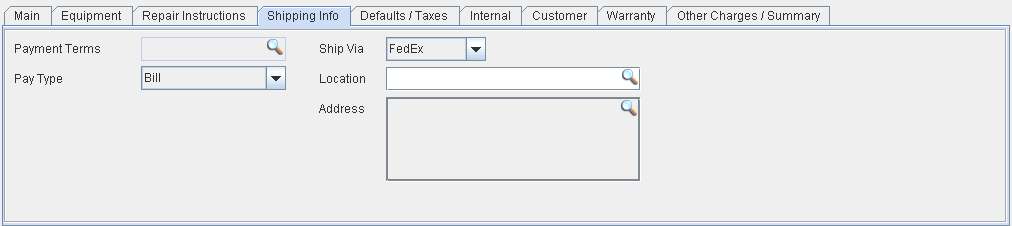
Figure 1.5 Defaults/Taxes Tab
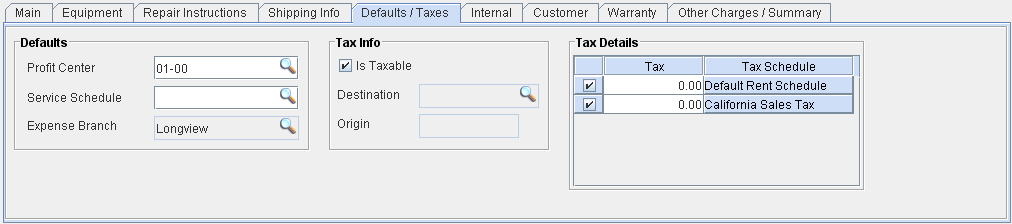
Figure 1.6 Internal Tab
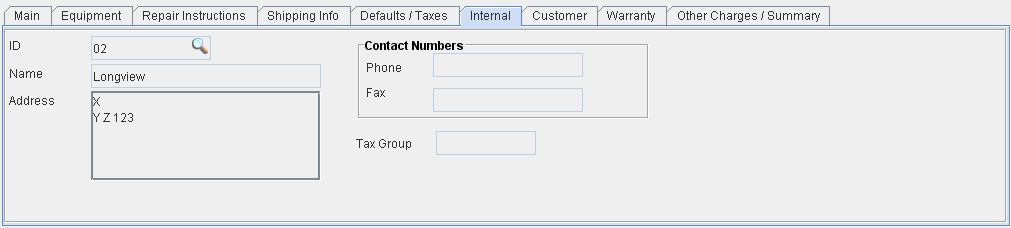
Figure 1.7 Customer Tab
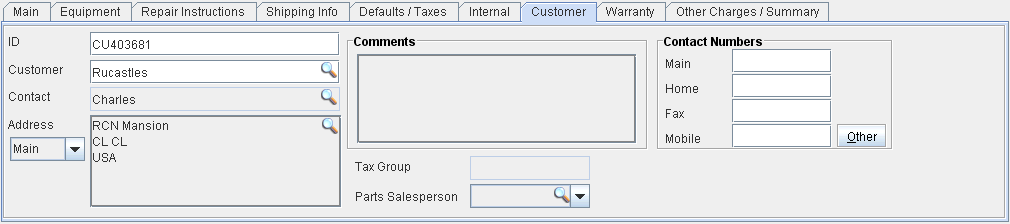
Figure 1.8 Warranty Tab
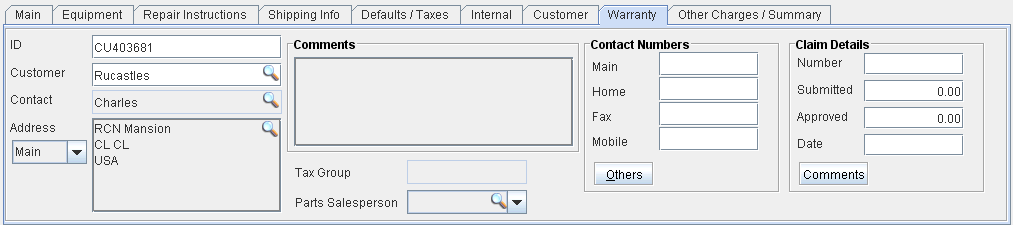
Figure 1.9 Other Charges/Summary Tab