
Reference: 18793
(V 01.00.83-00)
Details
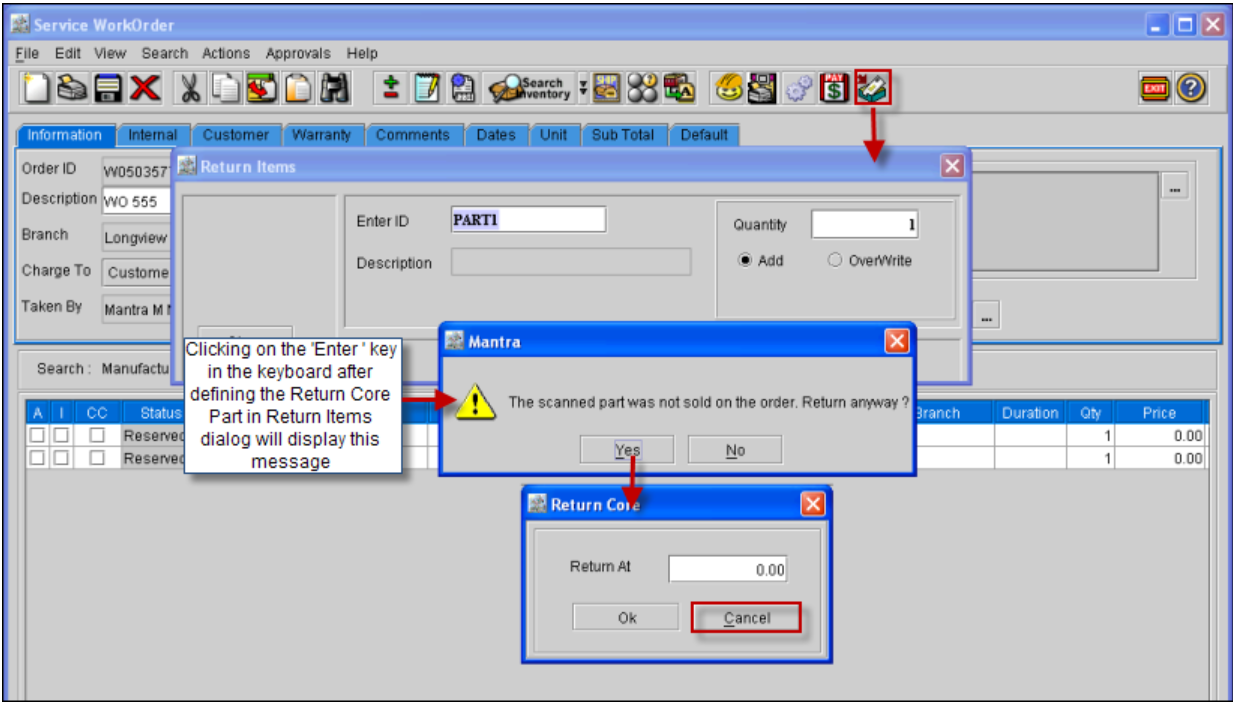
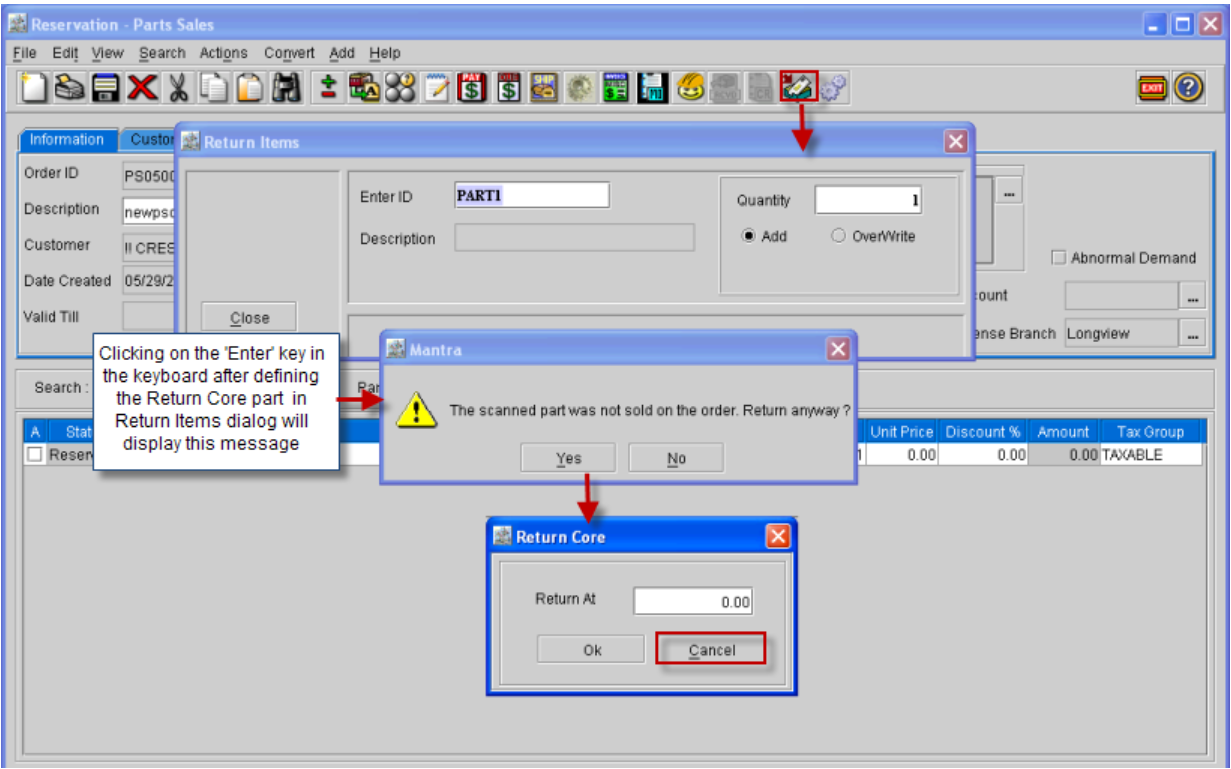
Support has been now provided by adding a new button 'Cancel' in the Return Core dialog box of a Work Order and Part Sales Order, which will allow the user to cancel a return core while returning parts on the order.
In Work Order
Figure 1.0
In Part Sales Order
-
In the Return Core dialog, on selecting the 'Cancel' button or clicking on close option , the returning core that is defined in the Return Items dialog will be canceled and will not be received to the inventory nor it will be added to the order as 'Returned Core'.
-
In the Return Core dialog, on selecting the 'OK' button will return the part and will add the return core line in the order with the status as 'Returned Core'.