Reference: 22052
(V 02.00.02-00)
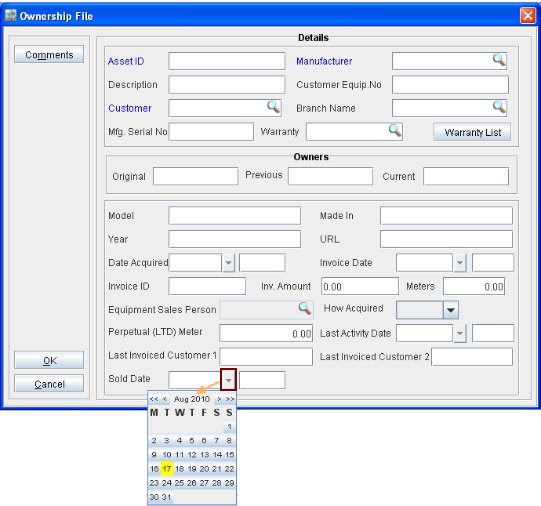
While creating a new Machine Ownership File or editing an existing file, you can define or update the Sold Date for an asset using the field Sold Date present in the Ownership File edit window as shown in Figure 1.0.
In the Sold Date field, you can either manually key-in the date or select a date from the calendar control, which can be displayed by selecting the drop down present in the field as shown in Figure 1.1.