Reference No: 24074
(V 02.00.07-00)
Details
In CR2, a new check box named Damage Waiver is added (as shown in Fig 1.0) in Misc.Charges Edit window, using which the Damage Waiver allowable status can be set for a Misc.Charge.
Fig 1.0 Damage Waiver Check Box in Misc.Charges Edit Window
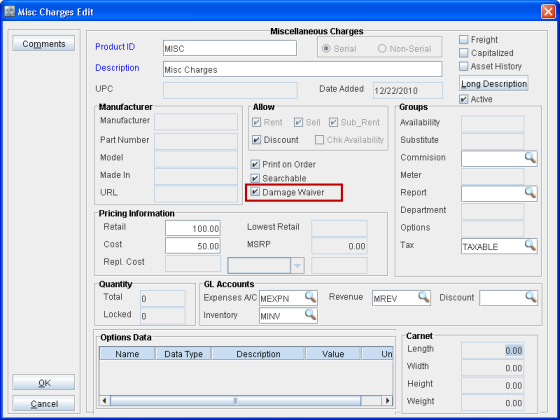
Note: On creating a new Misc.Charge the Damage Waiver check box will be deselected by default.
Functionality
If the Damage Waiver check box is selected then Damage Waiver, based on percentage, will be calculated for that Misc.Charge (as shown in Fig 1.1 below), based on the values given in the Other Charges/Summary tab > Damage Waiver, when added to an Order.
Fig 1.1 Damage Waiver Calculated for Misc. Charge in Rental Order
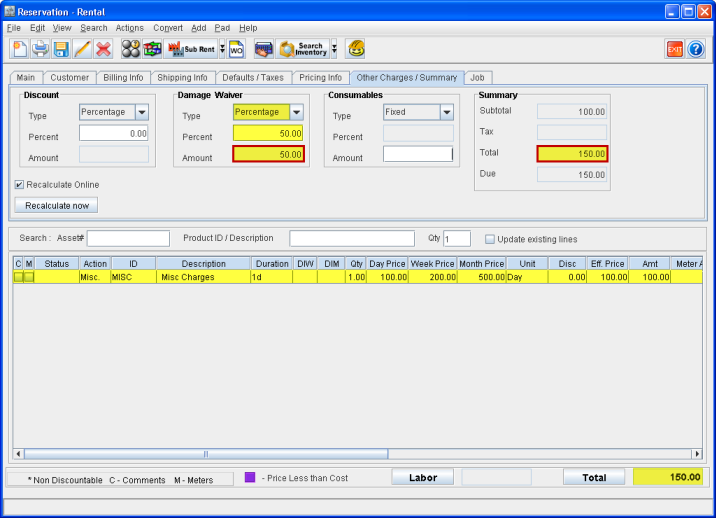
Note: Within an Order Damage Waiver will be calculated, based on percentage, only for those Misc.Charges for whom Damage Waiver checkbox is selected.
Consider that a Misc.Charge with Damage Waiver check box selected is tagged to a meter group (as shown in Fig 1.2).
Fig 1.2 Misc. Charge Tagged to Meter
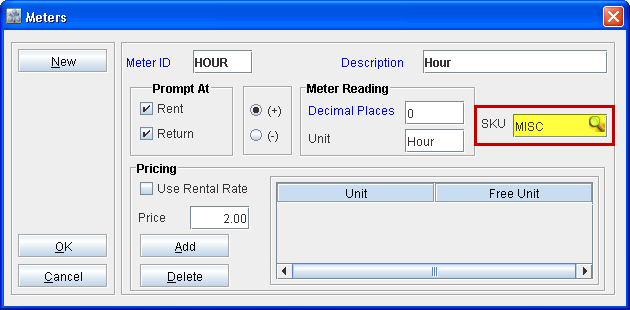
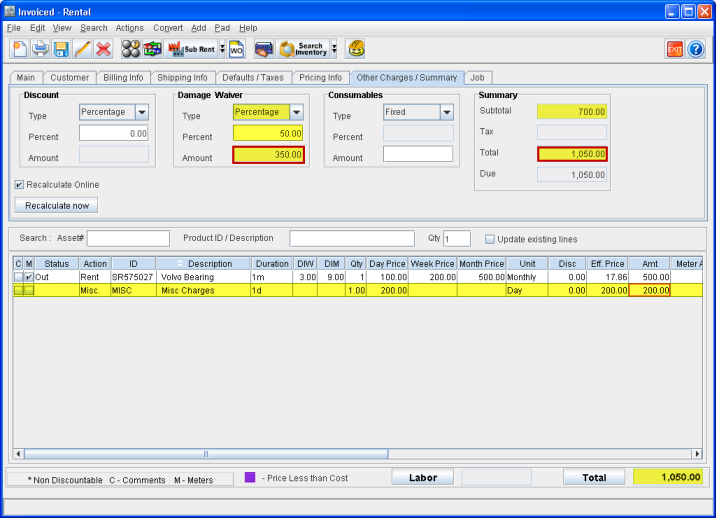
When an item with that meter group tagged to it is added to an order, then damage waiver will get calculated for that item in the order. A new line for the Misc.Charges will get added for that item in the line level where the meter charges are also applied (as shown in Fig 1.3).
Fig 1.3 Damage Waiver Calculated on Misc. Charge Tagged Meter in a Rental Order