This option is used for making Refunds for payments done through Axia Card Terminals in CR2.
-
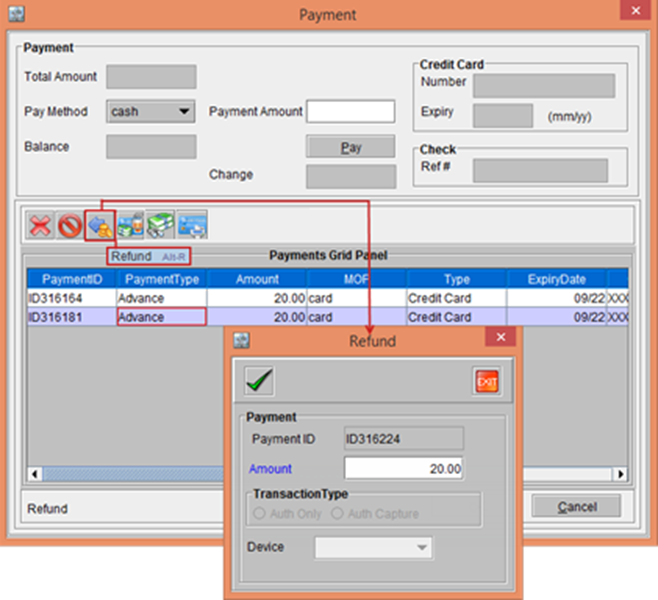
In the Payment window, select a transaction line and click the Refund button. The Refund window is displayed, as shown in Figure 6.0.
Figure 6.0 Refund window
-
Enter the Amount as 20.00. The system displays a prompt with the message “Refund Successful”.
-
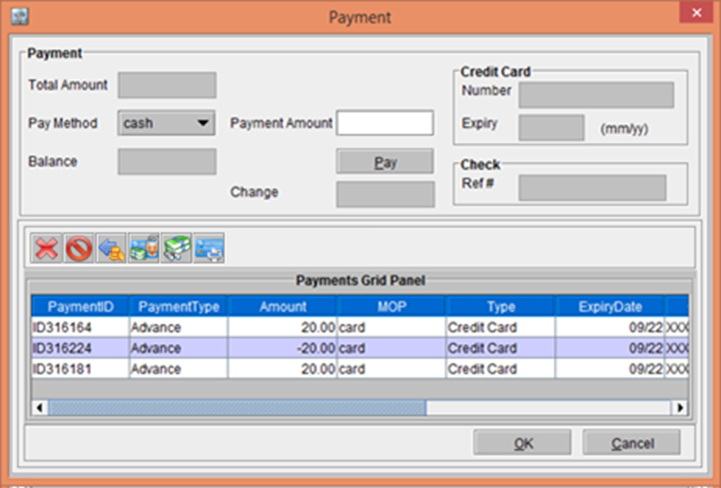
Click OK. The Transaction gets updated in the Payment window, as shown in the Figure 6.2.
Figure 6.2 Transaction updated in the Payment window