
This option is used for sending request to the Payment Gateway that is used to capture the funds reserved in an Auth Only transaction. The reserved amount of the Auth Only transaction is captured fully or partially only once. If there is any balance of the reserved amount, it will be reverted to the Customer’s Account.
-
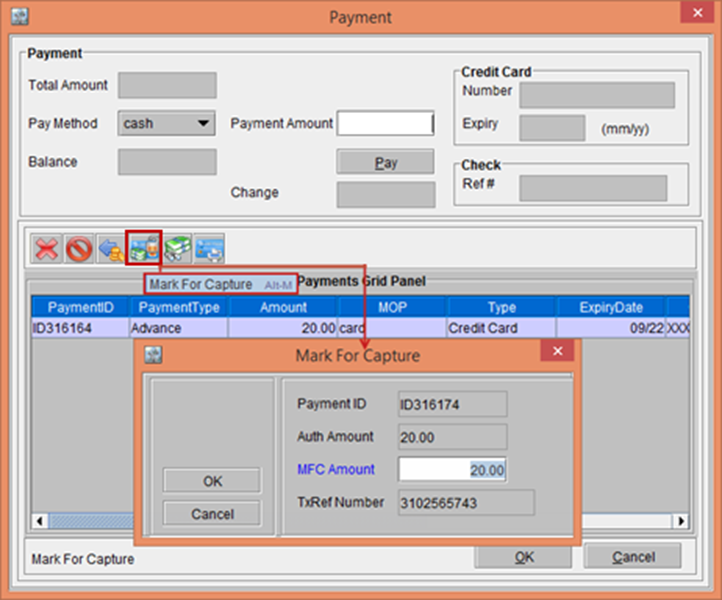
In the Payment window, click the Mark For Capture button. The Mark For Capture window is displayed, as shown in Figure 5.0.
Figure 5.0 Mark For Capture window
-
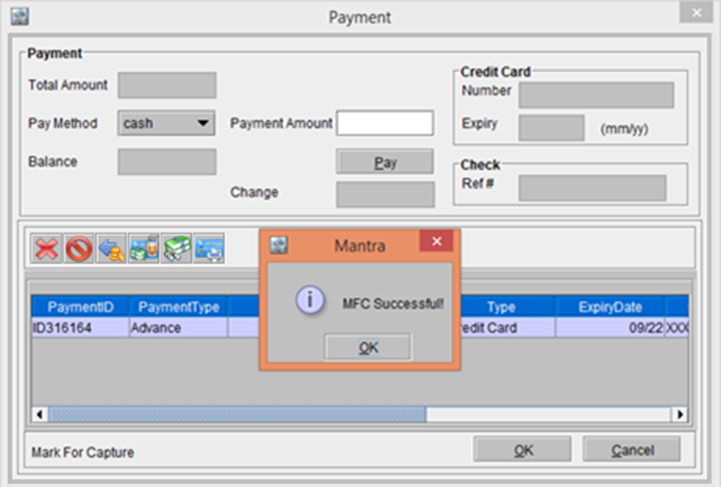
Enter the MFC Amount as 20.00 (same as the Auth Only Amount). The system displays a prompt with the message “MFC Successful” as shown in Figure 5.1.
Figure 5.1 Prompt displaying the message "MFC Successful"
-
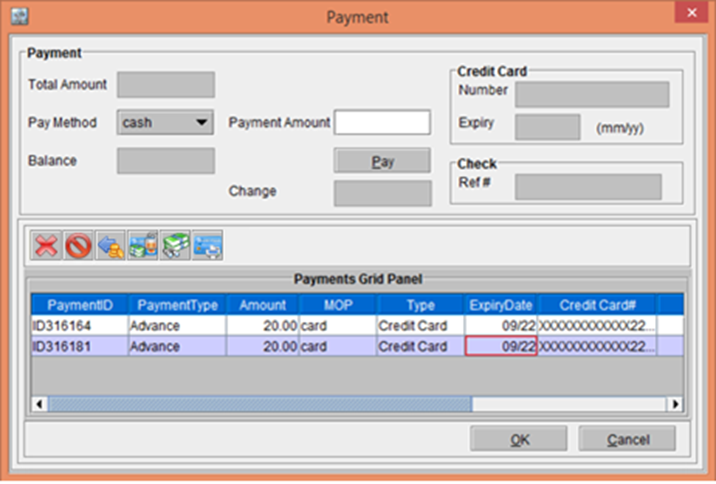
Click OK. The Transaction gets included in the Payment window, as shown in the Figure 5.2.
Figure 5.2 Transaction included in the Payment window
-
In the Step-2, if you enter the MFC Amount lesser than 20.00 (For example; here enter 10.00) > click the OK button, the system displays a prompt with the message along with Yes and No buttons, as shown in the Figure 5.3.
Figure 5.3 Prompt displays the message with the MFC Amount entered is Less than the Authorized Amount
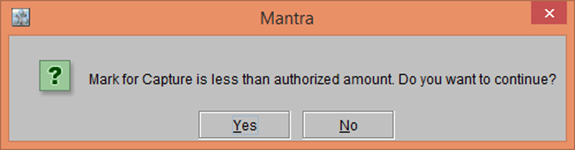
Clicking Yes will display a prompt with the message “MFC Successful”