Reference No: 22560
(V 02.00.03-00)
Table of Contents
Details
In Cr2, you can view the stock change history of parts which are added as superseded parts, while viewing the All Change History of the Part for which Superseded parts are configured. However, system will display the stock change history of superseded parts while viewing the All Change History of the Master Part (Part to which Supersede Part is added), only if the option Import History is selected for the superseded part in Superseded dialog.
Selecting the import history option while adding an Part as Supersede Part
While adding a part as superseded part, you can opt whether the stock change history of the superseded part has to be displayed while viewing the All Change History of the Master Part (Part to which Supersede Part is added). This can be done by selecting the option Import History while adding a Part as the Superseded Part. Refer Fig 1.0
Fig 1.0
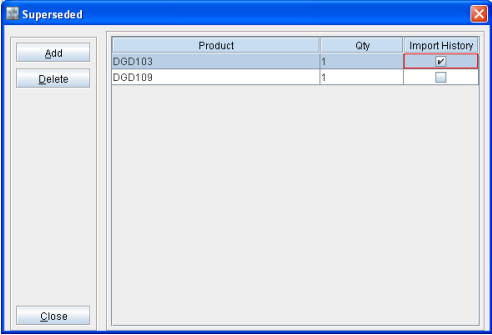
On selecting the option Import history, system will import the stock change history of the superseded part to the Master Part, which can be later viewed from within the stock change history dialog of the Master Part.
Viewing Stock Change History from within Master Part
You can view the stock change history of the Superseded Part along with the History of Master Part, while viewing All Change History (by selecting History Button &endash; and following selecting All option in subsequent Stock History dialog displayed).
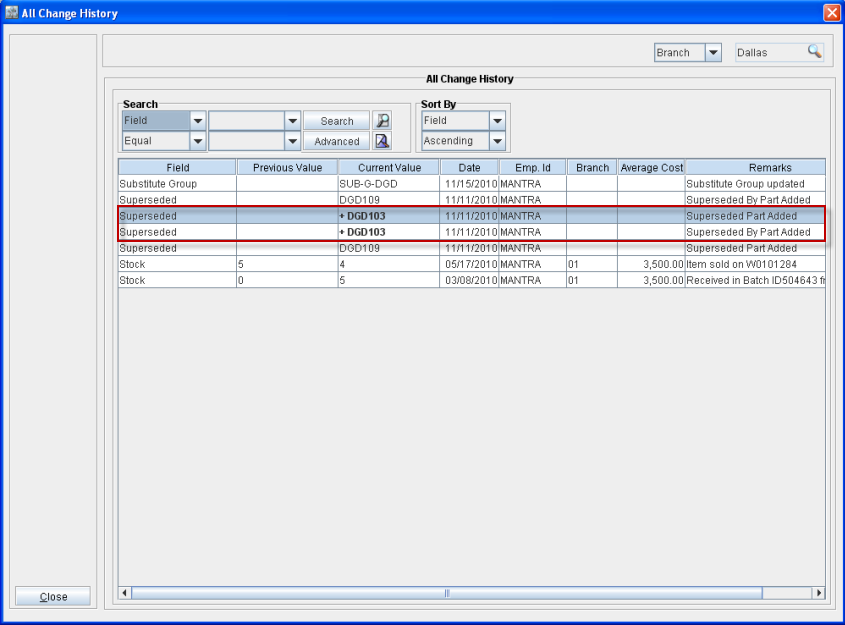
In the All Change History window, system will display the Superseded Parts for which Import History option selected with expanded symbol as shown in Fig 2.0.
Fig 2.0
-
In the All Change History Window, you can view the history details of the superseded part by highlighting the superseded line and following selecting the Right-click option Expand/Collapse.
-
On selecting the Right-click option Expand/Collapse, by highlighting a Superseded line having history imported, system will expand the line by displaying the history of the respective part. (Refer Fig 2.1)
Fig 2.1