
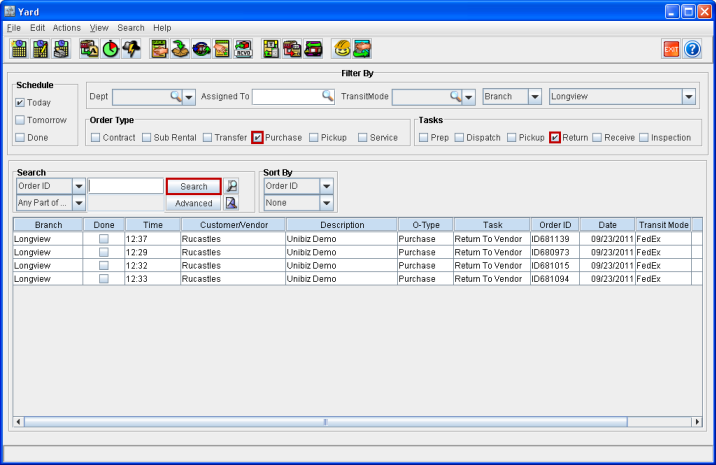
In the Yard window, you can search and view the tasks created by Return to Vendor Orders alone. This can be done by searching after selecting the Purchase check box within Order Type along with the Return check box in Tasks, as shown in Figure 1.1.
Figure 1.1 Searching for Warehouse Tasks Created by Return to Vendor Orders
Note: Warehouse Tasks get created for those Return to Vendor Orders that were saved and closed without creating their vouchers (without pressing the Done button).