
Additional charges can be added to a Return to Vendor Order's Voucher in the form of Misc. Charges by clicking on the Import Items icon, as shown in Figure 1.6.
Figure 1.6 Adding Misc. Charges to RTV Voucher
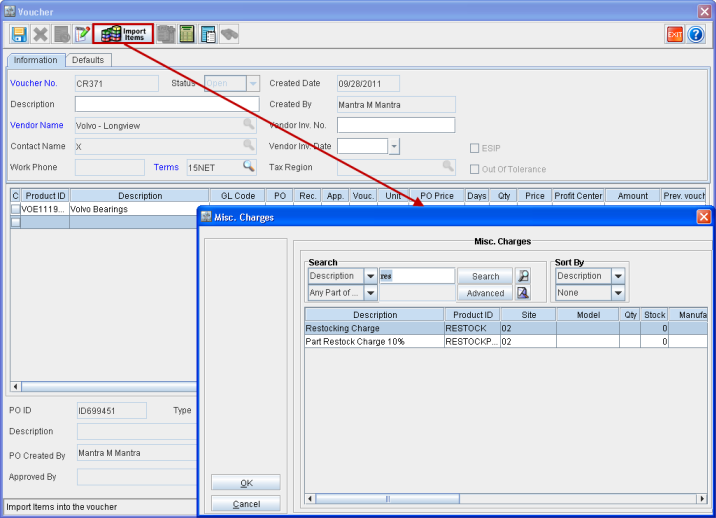
The Qty and Price fields are editable for an added Misc. Charge. The Price field entry can either be positive or negative, as need be.