
Reference: 25463
(V 02.00.16-00)
Details
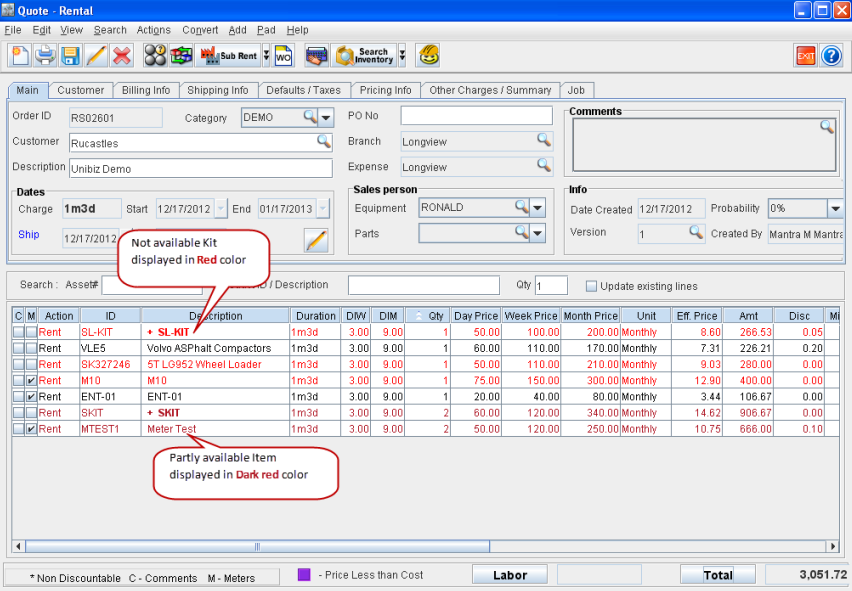
In CR2, when a Not Available Items/Parts/Assets/Kits are added to any type of Quote Orders (like Rental, Sales and RPO), then the line color will be displayed in Red indicating that the stock is not available.
If the stock is partially available, then line color will be displayed in Dark Red color.
Figure 1.0 Not Available and Partially Available Stock in Quote - Rental Displaying the Lines in Red and Dark Red Color Respectively
Points to Note
-
If a Not Available Item/Part is added to a Quote with Unit Price less than its received Cost Price, then it will get displayed in the Quote in Red color.
-
If the P-Assigned Item/Part line on a Quote has its Unit Price less than its defined Cost Price, then the Item/Part line will get displayed in Purple color.