
Reference: 18978, 18994
(V 01.00.85-00)
Details
New Options (as shown below) has been provided to default the Abnormal demand of the Customer in the Work Order and Part Sales Order created for the Abnormal Demand Customer.
-
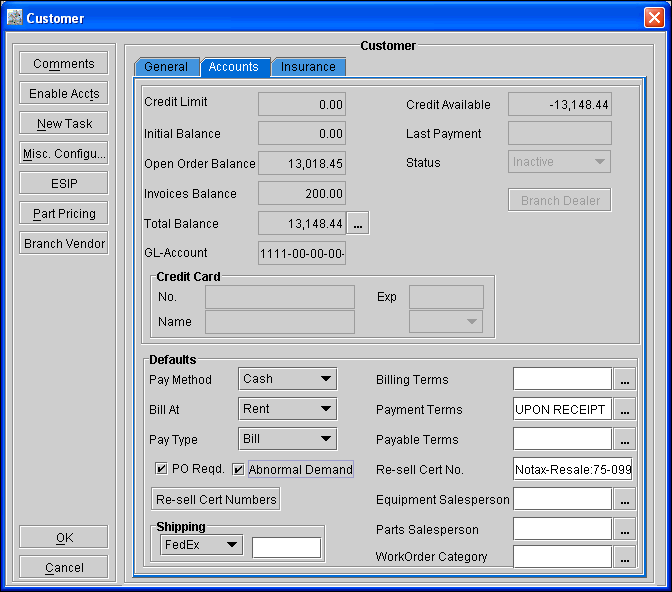
New check box Abnormal Demand in the Accounts tab of the Customer Edit window, is as shown in Figure 1.0
Figure 1.0 New check box 'Abnormal Demand' in the Accounts tab of the Customer Edit window
-
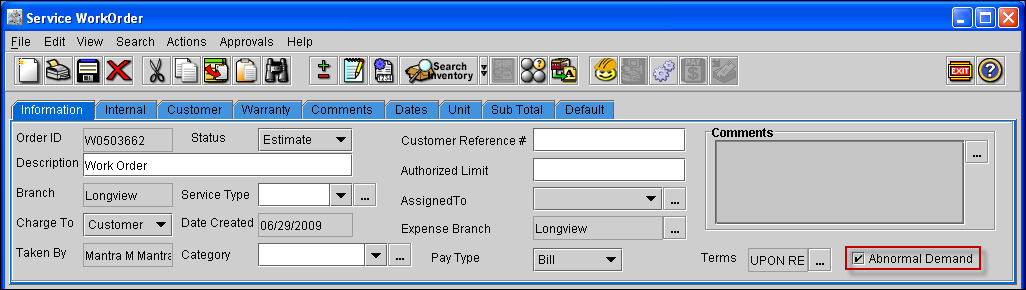
New check box Abnormal Demand in the Work Order, is as shown in Figure 1.1.
Figure 1.1 New check box 'Abnormal Demand' in the Work Order
-
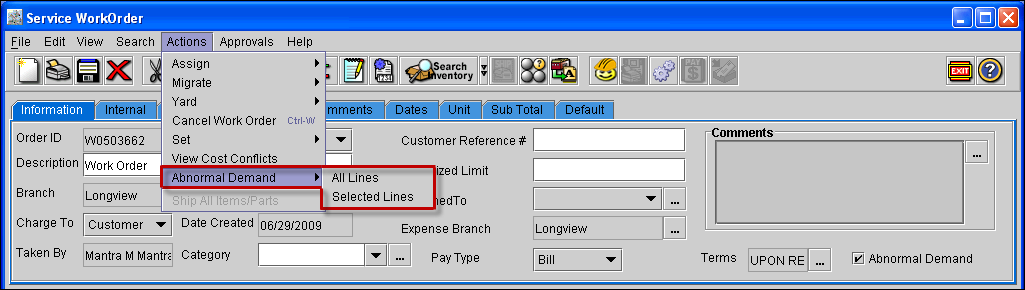
New Option Abnormal Demand in the Action menu of the Work Order window, is as shown in Figure 1.2.
Figure 1.2 New Option 'Abnormal Demand' in the Action menu of the Work Order window
Functionality:
-
While creating a Work Order or a Part Sales Order by tagging a Customer in the Accounts window, system will default the tagged Customer's Abnormal Demand from the Accounts tab of the Customer Edit Window to the Work Order or the Part Sales Order window.
-
On selecting lines of a Work Order and clicking on Action > Abnormal Demand > Selected Lines, the Abnormal Demand value on grid lines will be selected or de-selected depending upon the Abnormal Demand value on the header of the Order.
-
On selecting the Work Order Action > Abnormal Demand > All Lines, the Abnormal Demand value on for all the Part lines will be selected or de-selected depending upon the Abnormal Demand value on the header of the Order.
-
In a Part Sales Order, on tagging a main Customer or Contact in the Customer tab of the Order, system will prompt the message "Do you want to default abnormal demand of customer ?".On clicking on Yes, the customer's Abnormal Demand will be defaulted to the Order.
-
On tagging Customer/ Warranty Customer, entering Customer/ Warranty Customer ID or tagging Customer/ Warranty contact, system will display the message "Do you want to default abnormal demand of customer ?" based on the Charge To value on the header of the Order.
-
If Charge To is Customer, then system will not prompt the message for updating, on tagging Site and tagging Customer/Contact and changing Customer ID in the Warranty tab of the Order.
-
If Charge To is Warranty, then system will not prompt the message for updating, on tagging Site and tagging Customer/Contact and changing Customer ID in the Customer tab of the Order.
-
If Charge To is Internal, then system will not prompt the message for updating, while tagging Customer/Contact and changing Customer ID in the Customer tab and Warranty tab of the Order.
-
System will not prompt any message, if the Customer field in the Warranty tab/Customer tab and the Segment header is set to blank.
-
When Customer field is blank in the Warranty tab/Customer tab and segment level, then on changing the Charge To value , system will not prompt any message.
-
On changing segment header Customer, system will prompt a message "Do you want to default Abnormal Demand to all the segment lines from segment Customer?" with the options Yes and No to update all part segment lines.
-
On changing Segment header Charge To, system will prompt a message "Do you want to default Abnormal Demand to all the segment lines from segment Customer?" with the options Yes and No to update all segment lines of parts.
-
On adding a line under a segment, system will default the abnormal demand from the tagged segment customer.
-
On adding a orphan line, system will default abnormal demand from the header.
-
On setting the segment header to blank, it will prompt the message "Do you want to default Abnormal Demand to all the segment lines from above segment/ header?" with the option Yes and No and will update accordingly.
-
If there is no segment lines under a Segment header, then system will not prompt any message for updating.
-
On Moving lines between segments/orphan area,system will not display any message and will update the Abnormal Demand based on the segment header customer or the header level customer.
-
On performing cut & paste and migrate cut & paste,system will not display any message and will update the Abnormal Demand based on the segment header customer or the header level customer.