
Reference: 18770
(V 01.00.83-00)
Details
Support has been now provided by adding Remarks dialog in the Credit memo and Debit memo window to add comments while creating Credit memo and Debit memo.
-
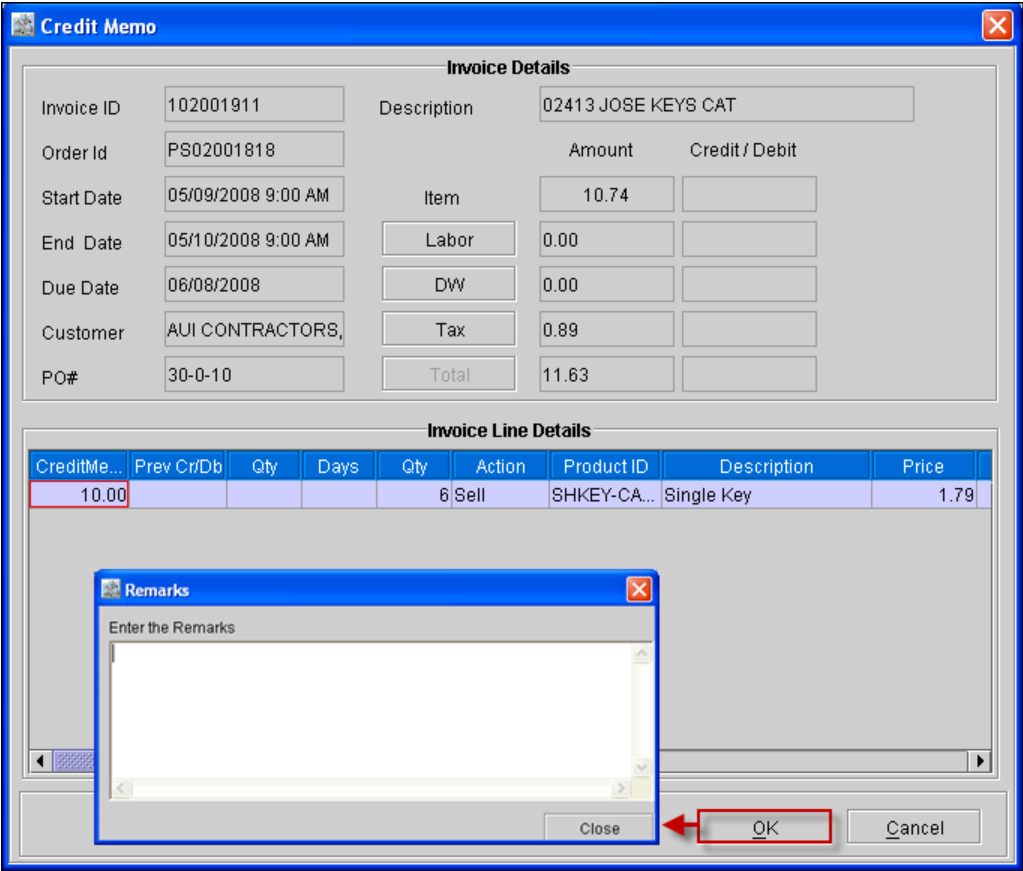
While creating the credit memo, on entering the memo amount in the Item/ Labor/ DW/ tax line and clicking on the 'OK' button will display the 'Remarks' dialog (as shown below), where the user will be able to enter their comment for the credit memo.
Figure 1.0
-
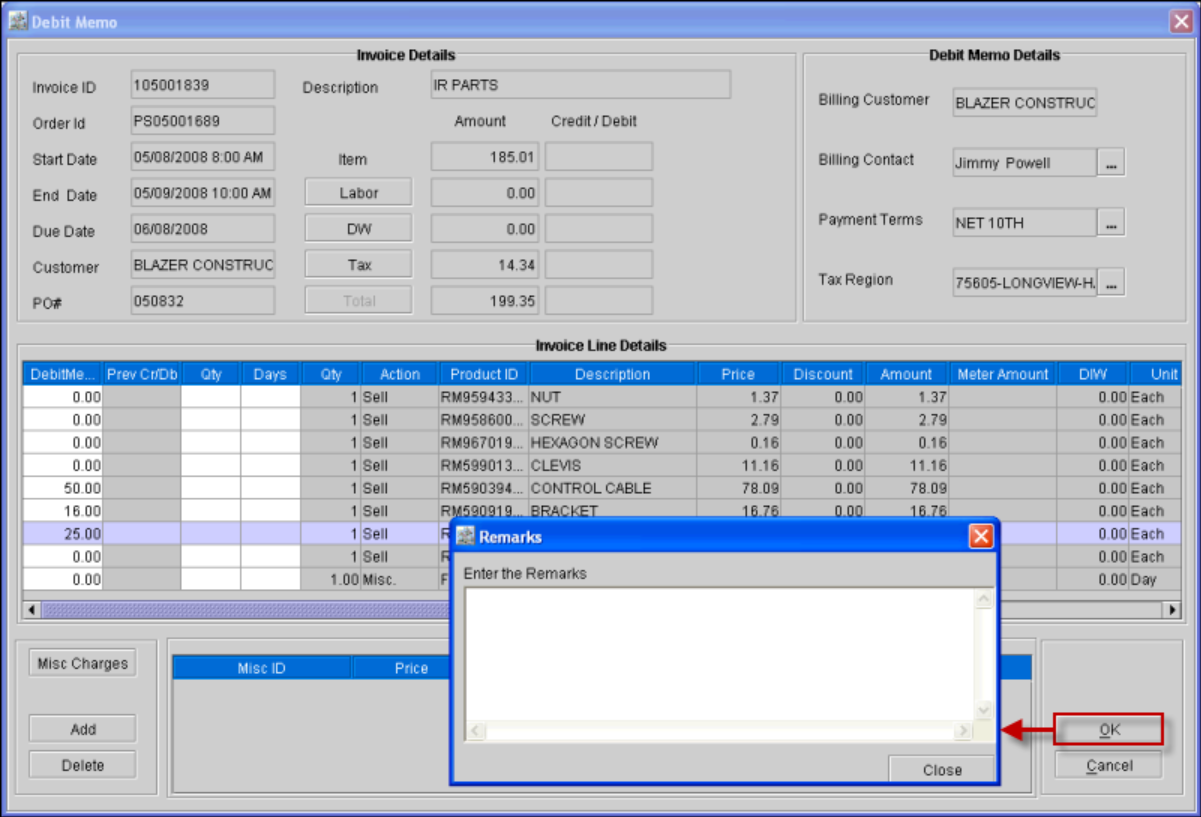
While creating debit memo, on entering the debit memo amount in the Item/ Labor/ DW/ tax line and clicking on the 'OK' button will display the 'Remarks' dialog (as shown below), where the user will be able to enter their comment for the debit memo.
Figure 1.1
-
In the Search Invoices window, while editing the Credit memo or the Debit Memo created for the invoices , the user will be able to view the comments given for the Credit Memo and the Debit memo in the Comments dialog displayed in the Amounts tab of the respective Credit or Debit Memo.
-
While updating the Credit or the Debit Memo, the new comments given are added to the Comments dialog as the first comment without deleting the previous comments.