
Reference No: 22604
(V 02.00.04-00)
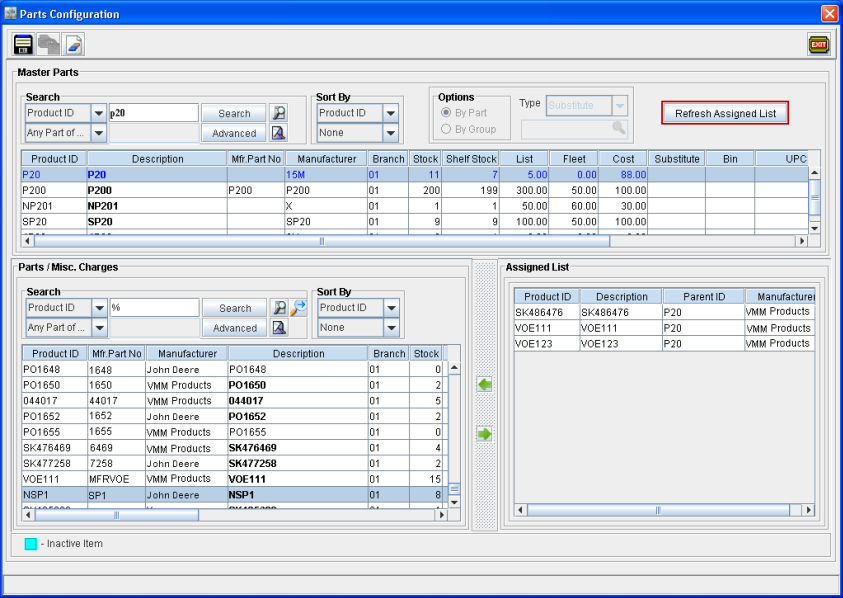
Now, on tagging a Master Part, system will not display the existing parts which are already configured for the selected part in the Assigned List section. To view the parts which are already assigned, the user need to click the Refresh Assign List button present in the window (as shown in Fig 1.0)
Fig 1.0
Points to Note
-
On Adding or Removing the parts, system will display the Refresh Assigned List button as disabled.
-
On selecting the option By Group, system displays the Refresh Assigned List button as disabled.
-
On assigning a part to more than one Master Part, system will display the part in different lines by displaying Master Part ID in Parent ID column of the Assigned List section.
-
On opening Parts Configuration window via Part edit window, system will display the Refresh Assigned List button as disabled.