Reference No: 23853
Table of Contents
Details
In CR2, you can use the Form Setup feature present under Maintenance Module, to predefine the print form that has to be considered for printing Credit Memos.
The print forms which are defined with Order Type set as Credit Memo and UI set as 159500UI can be used for printing Credit Memos which are generated for Rental Orders, Sale Order, Part Sale Orders, RPO and Work Orders. For more information, refer the steps illustrated below :
Steps to Add Print Form for Credit Memo
-
Access Maintenance Module
-
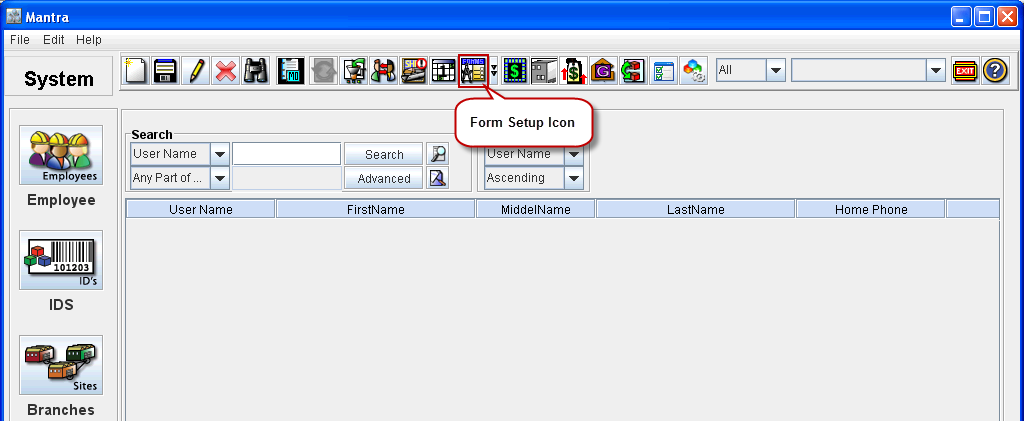
Click on the Form Setup icon on the Tool Bar.
-
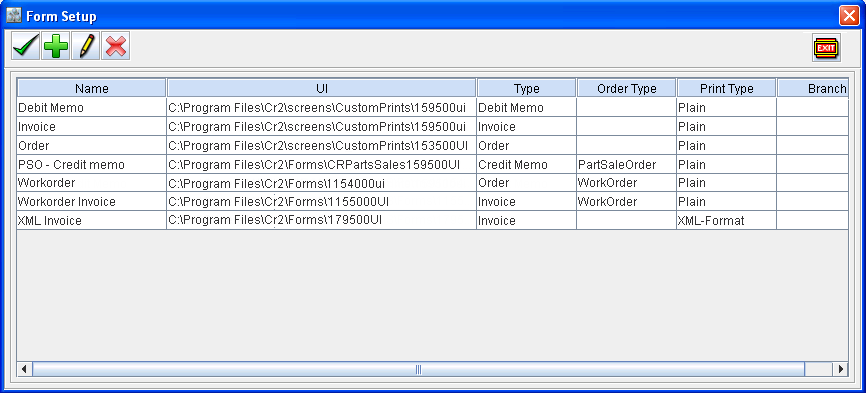
Form Setup dialog appears.
-
Click on Add icon

-
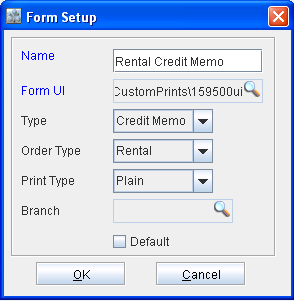
System displays Add Form Setup dialog.
-
Enter the Name for the form.
-
Click on the importable button next to Form UI for selecting UI for form setup (select the UI as 159500UI).
-
Select the Type as Credit Memo
-
Select the Order Type. For example, if you want to use the form type definition for rental orders, select the Order Type as Rental. If Order Type is not selected, then the form type definition will be considered for printing credit memo generated for all types of orders, which does not have order type specific form definition.
-
Select the Print Type.
-
Click on the importable button next to Site to select the site where Form Setup is applicable.
Note : If no site is selected the form type defined will be available for all the sites.
-
Click OK.
-
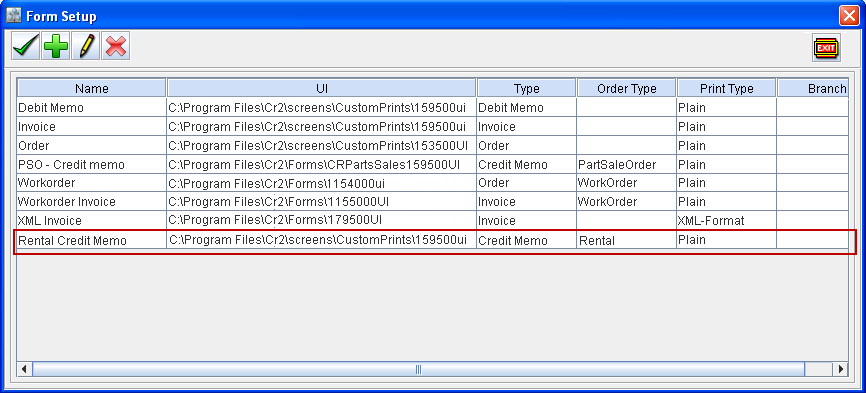
The newly created print form definition will be displayed in the Form Set up dialog.
-
Click on OK icon to save the newly created definition and return to Maintenance module..
Printing Credit Memo using Print Form defined for Credit Memo
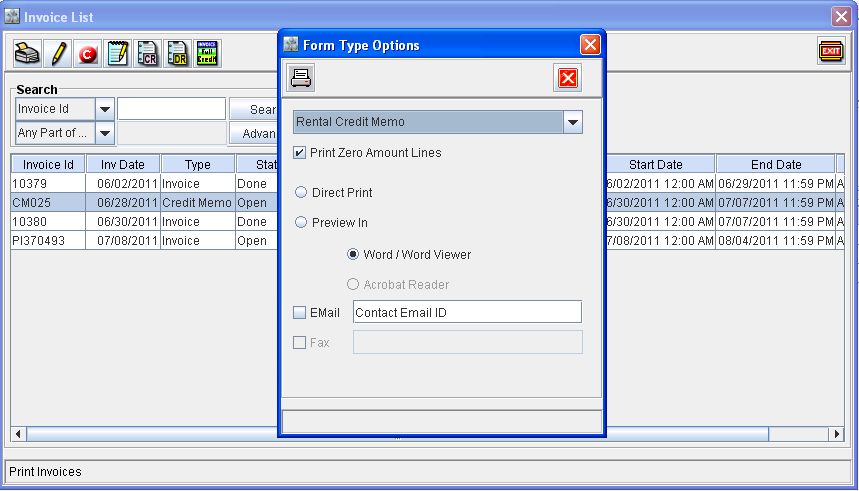
While printing a credit memo generated for a Rental Order / Sale Order / Part Sale Orders / RPO / Work Orders, system will display the print form(s) defined for Credit Memo in the print options dialog (as shown below). You can further continue printing credit memo, by choosing the required print form definition and other print options present.
Illustration