
Reference: 24739
(V 02.00.13-00)
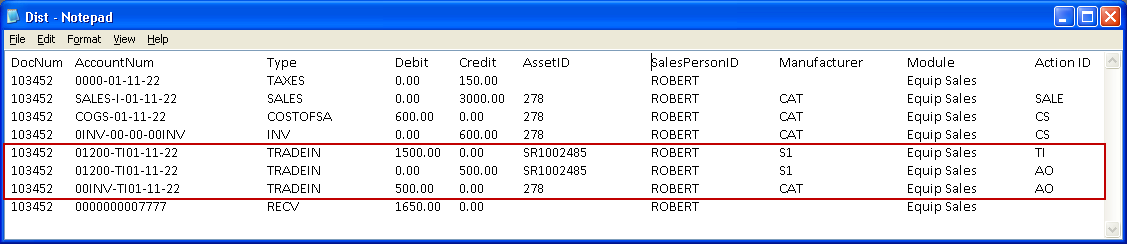
When Equipment Sales Order invoices are posted in the Great Plains format, system will display the Trade-In Asset amount and amount which is Over Traded as separate lines as shown in Fig 2.0
Fig 2.0 Trade-In Asset Values in export file 'Dist.txt'
-
The GL Codes which are defined for Trade-In Assets, using the Invoicing Module > Actions> GL Code feature will also be displayed for the Trade-In Assets, in the 'dist.txt' file.
-
In dist.txt, the custom name defined for the GL Code definition of type 'Credit memo' will be displayed as the Type for the Credit Memos.
-
For more information on defining Trade-In GL Codes, click here.