
Reference: 22057
(V 02.00.02-00)
Details
In Cr2, you can pre-define the folder path wherein system should store the print files which are generated from different locations in the application. This can be done by selecting/ defining using the field Print File location in the Defaults Module → General Tab as shown below.
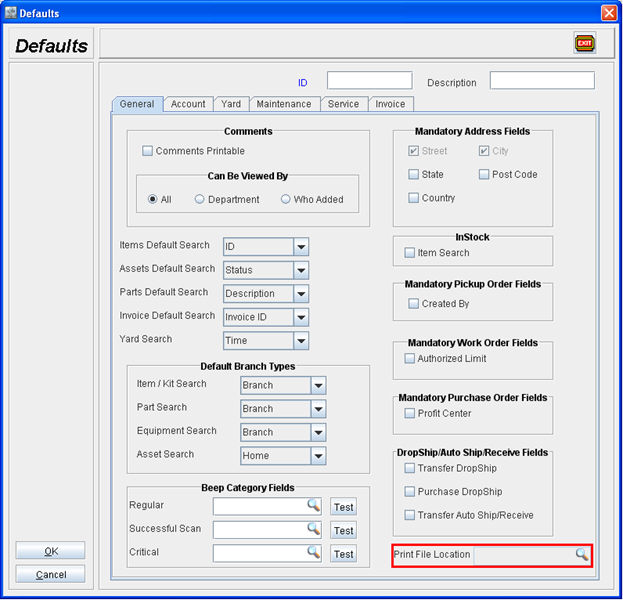
On clicking on the import button present in the field will display the File Browser dialog, using which you can navigate the folder where the print files which are generated has to be stored. Once a path is selected, the folder path will be displayed in the Print Fie location field as shown below :
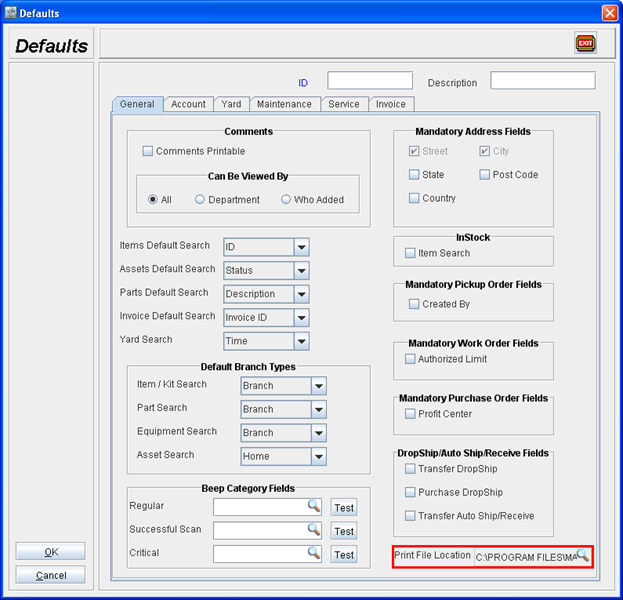
Notes:
-
In the Post Batch window which is opened from within Invoicing Module g Search Posted Batch, if the Print Location path is mentioned, then the system will not consider the default location path mentioned in the Defaults module.
-
In the WIP Report window which is opened from Reports Module g Inventory g WIP Report, if the Path is specified in the File Location field under Export To section, then also the system will not consider the default location path mentioned in the Defaults module.