Reference No: 23864
(V 02.00.06-00)
Details
In CR2, while creating a new customer or when editing existing customer details (Individual/Customer), you can define Profit Center for the customer that would be defaulted to the order based on Order type.
Defining Profit Center for Customer (Individual/Customer)
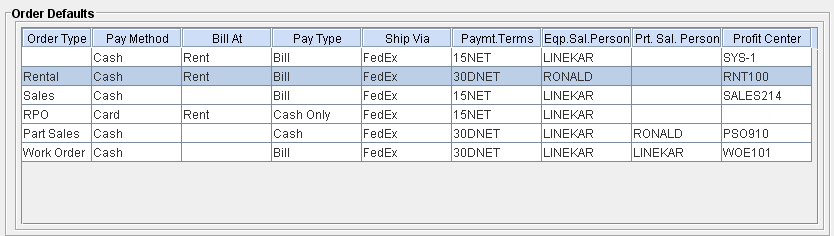
You can define Profit Center for customers against each order type, using the Order Defaults present under Customer Edit - Accounts Tab. Refer Figure 1.0
Figure 1.0
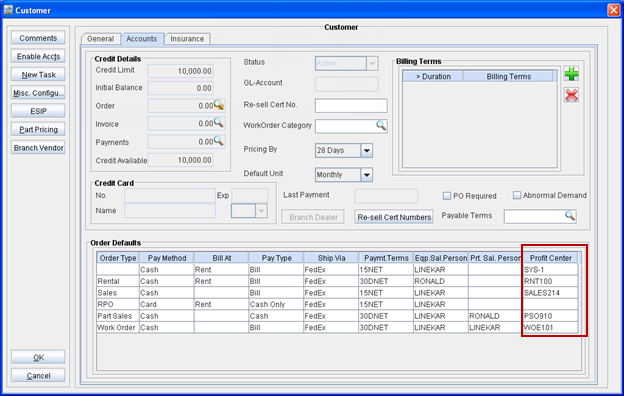
Steps to define Profit Center for an Order Type are:
-
Access Customer Edit window.
-
Switch to Accounts Tab.
-
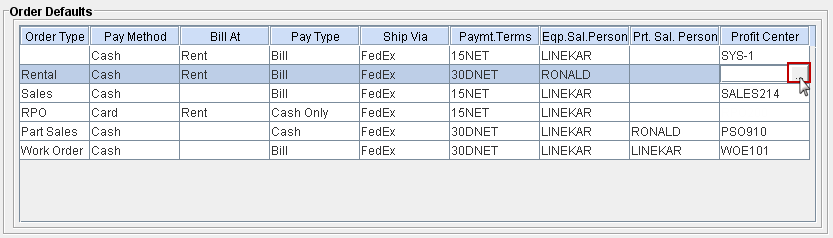
Click inside the Profit Center field present for an Order type. Refer below illustration.
Figure 1.1
-
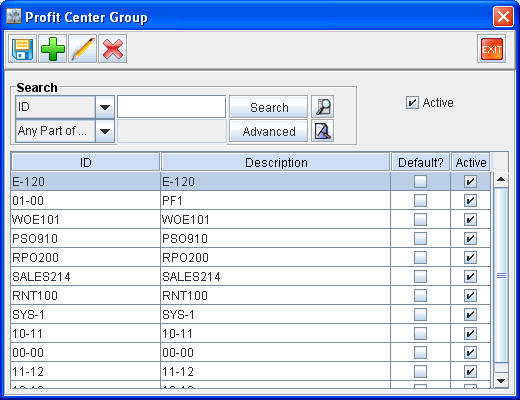
System displays Profit Center definition search window as shown below :
Figure 1.2
-
Double-click on a Profit Center definition to tag.
-
The tagged Profit Center definition will be now displayed in the Order defaults section. Refer illustration below :
Figure 1.3
Notes:
-
If Profit Center is tagged for the Order Defaults line having Order Type as blank, the tagged definition will be considered as profit center definition for all order types having no profit center tagged.
-
If no general profit center is tagged, then the profit center tagged for employee who created the order will be considered as the order profit center.
Illustrations - Profit Center displayed in Order Window
Figure 2.0 Rental Order Window
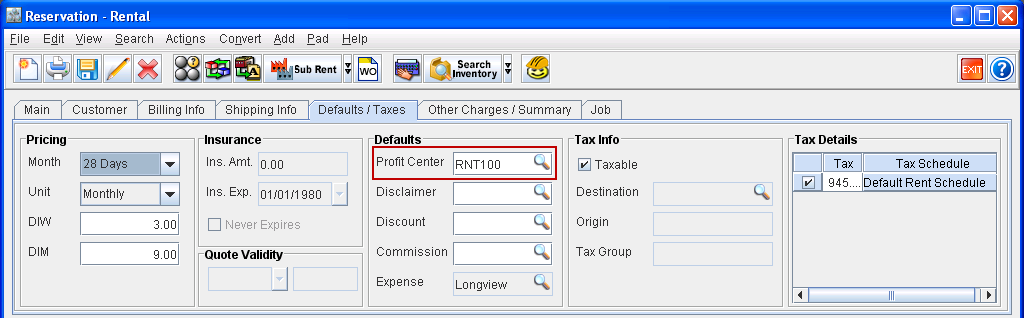
Figure 2.1 Sale Order Window
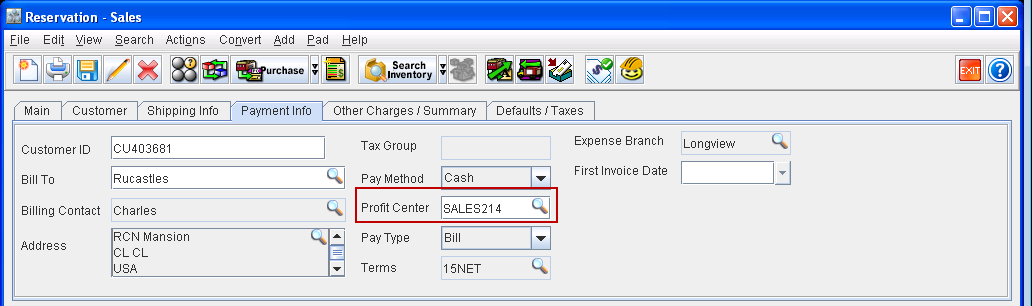
Figure 2.2 RPO
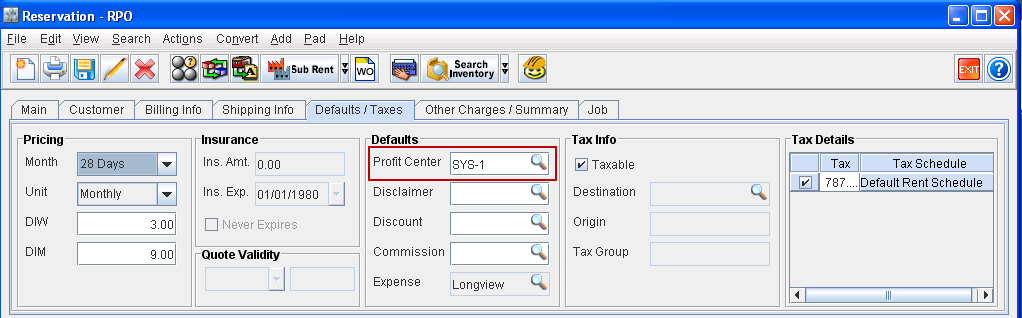
Figure 2.3 Part Sales Order
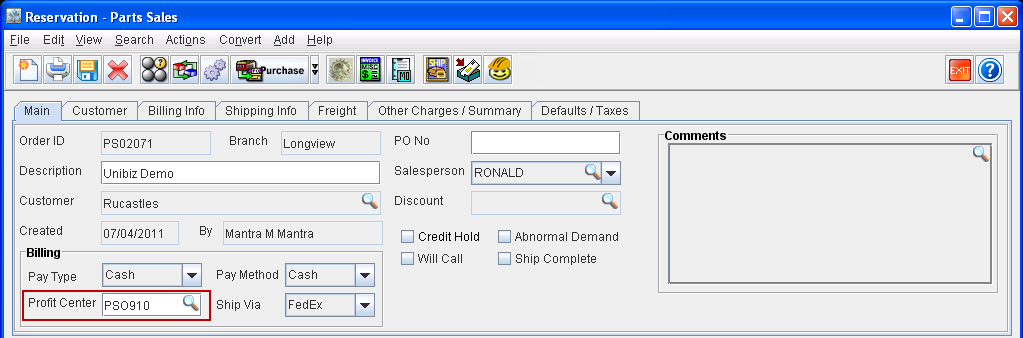
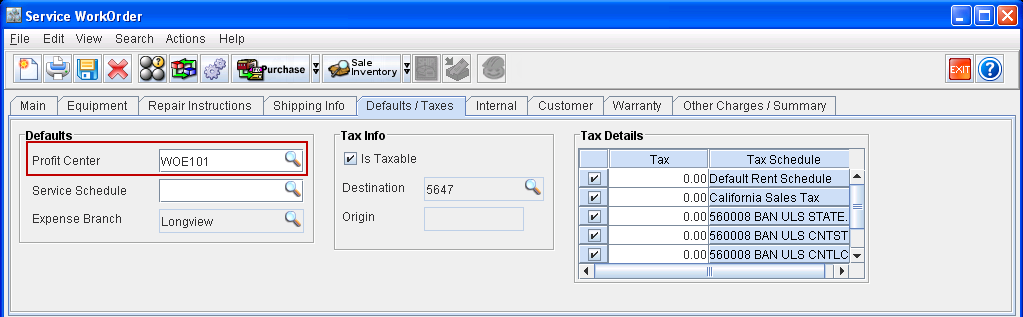
Figure 2.4 Work Order Window