
Disable the option to select a linked Work Order, if it has Pay-type as Volvo
Details
If the Main WO has Pay Type is –
-
Volvo, you cannot select any other type of WO.
-
Non-Volvo, you cannot select a linked WO, with Pay-type as Volvo.
Sample Workflow
-
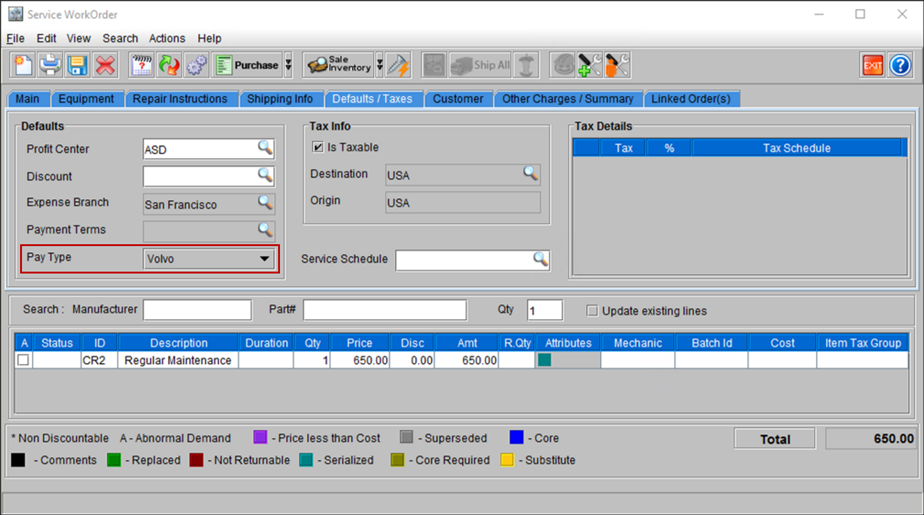
Search for an WO, which has the Pay Type selected as Volvo.
Figure 43: Searched WO ID [CO300992] with Pay Type
-
Go to the Linked Order(s) tab, if there are any Linked WO listed, CR2 will not allowe to select them.
Figure 44: Linked WO tab showing list of selected linked WO for ID [CO300992]
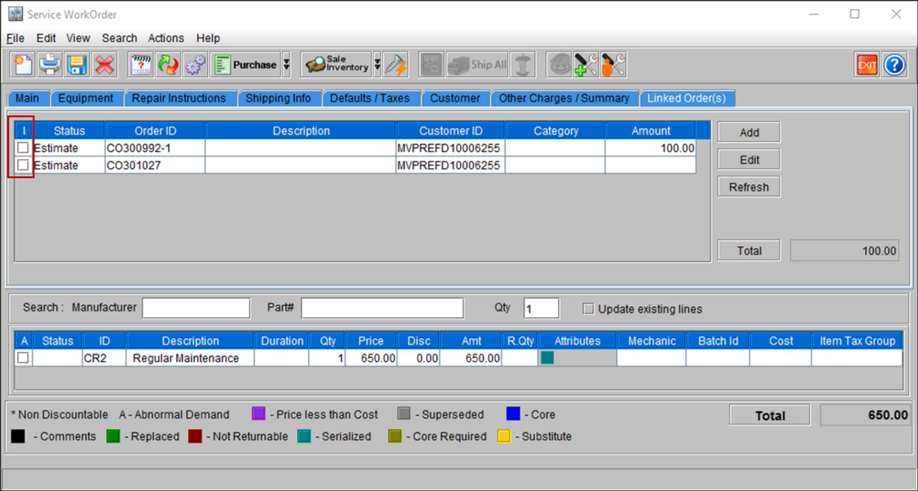
Similarly, for WO where the Pay Type is any other type (Non-Volvo), you will be able to select any WO in the Linked Order tab, which also has its Pay Type as Non-Volvo.