
Clear Pre-Auth allocation details in CR2PS, when Order changed from Schedule to Estimate
Details
Consider a business scenario, where a Work Order that has already received the required the Pre-Auth when it was converted to Schedule. Now, the same WO is being converted to Estimate.
This may create problems in CR2 VFS. As the system still registers the Pre-Auth as being on-hold against the specific WO. Thus, it is necessary to have the Pre-Auth be cleared or Cancelled, whenever a WO (having a Pre-Auth) is converted back to Estimate.
This way, later as deemed necessary, the WO can get a new Pre-Auth when it converted to Schedule or Open again.
Sample Workflow
-
Open an Order which is in ‘Schedule’ status and has a ‘Pre-Auth’,
-
Click on the status and change it to ‘Estimate’, the following prompt is displayed.
Figure 33: Notification prompt when you attempt to open an expired Order

If you click No, CR2 returns to the WO window, showing the existing details.
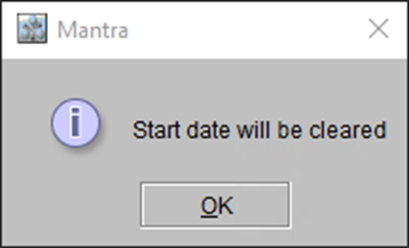
If you click Yes, the following prompt is displayed.
Figure 34: Message Prompt – When changing status from ‘Scheduled’ to ‘Estimate’
-
Click ‘Ok’ and CR2 returns to the WO window. Status for the Order has now changed to ‘Estimate’.