
Reference No: 24254
(V 02.00.08-00)
Details
In CR2, a new Comments panel is added to the Equipment tab of Service Work Orders as shown in Figure 1.0.
Figure 1.0 Comments Panel in Equipment Tab of a Service Work Order
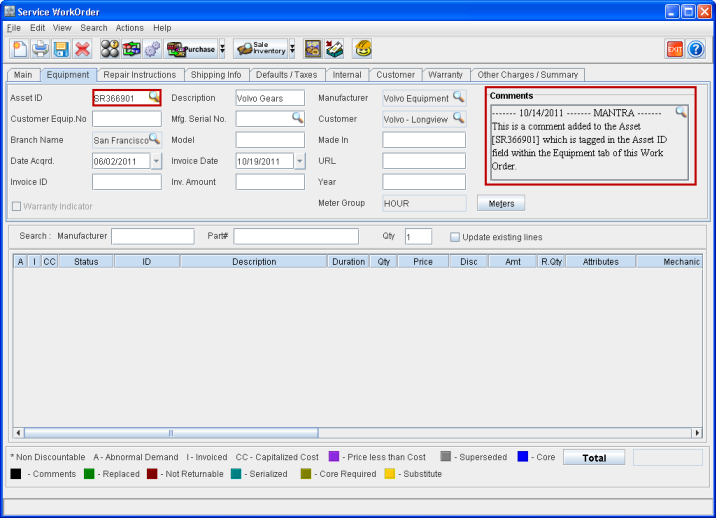
This comments panel will fetch and display the comments added to the Asset which is tagged to this Service Work Order under the Equipment tab > Asset ID field. The Asset can either be an internal Asset or a record added to the Machine Ownership File.
The comments thus displayed in the comments panel can be edited using the importable button present there.
-
Any modifications made to the comments of a tagged Asset from the Equipment tab of a Work Order will affect the Asset's comment and can be viewed from its Asset edit window > Comments as well.
-
Any modifications made to the Asset's comment from its Asset edit window > Comments will get reflected in the Equipment tab > Comments panel of all Work Orders where it is tagged.