Reference No: 26150
V (02.00.19-00)
Details
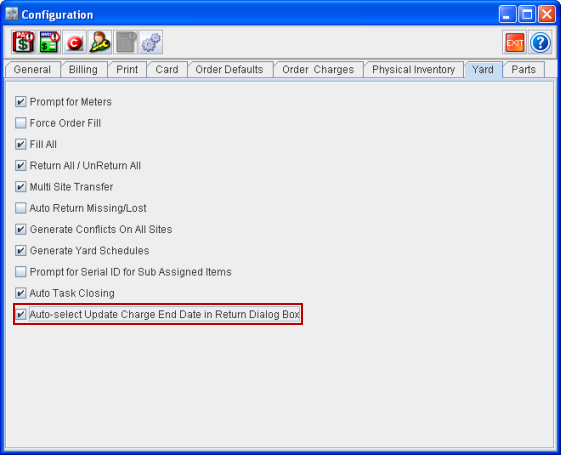
The Update the Charge End Date of the Rent Returned Line check box in the Return Items dialog box (which displays while Returning a Rented Item in an Order) can be set to be selected by default, by selecting the Auto-select Update Charge End Date in Return Dialog Box check box in the Configuration module > Yard tab. This will ensure that the Charge End Date of the returned Item line will get updated automatically based on the date selected for Returning the Item.
Note: This feature is applicable only for Rent Item added in Rental Orders.
Figure 1.0 Auto-select Update Charge End Date in Return Dialog Box Check Box in Configuration Module