
Reference No: 24548
(V 02.00.11-00)
Details
In CR2, the User View feature is added to the Pick List print window, as shown in Fig 1.0.
Fig 1.0 User View Feature in Pick List Print
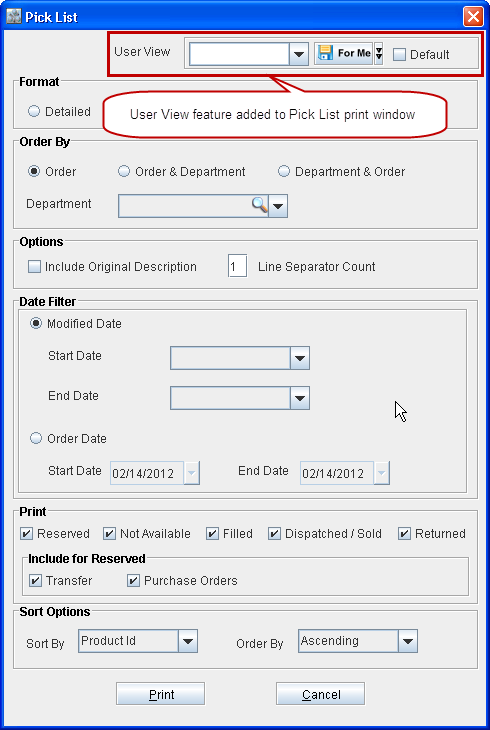
The User View option enables you to save the current filter settings for future use. When no User View is selected, then all the check boxes within the Print section will be selected, by default, upon opening the Pick List print window.
The current set of selections within the Pick List window, except for the selections within the Date Filter section, can be saved by entering a suitable name within the User Field text box and pressing the Save icon provided there.
Note: If the Default check box is selected while saving a User View then that User View will be populated when the same user accesses Pick List print window any time after that.