
Branch Selection Field in Accounts Window
Reference: 22050
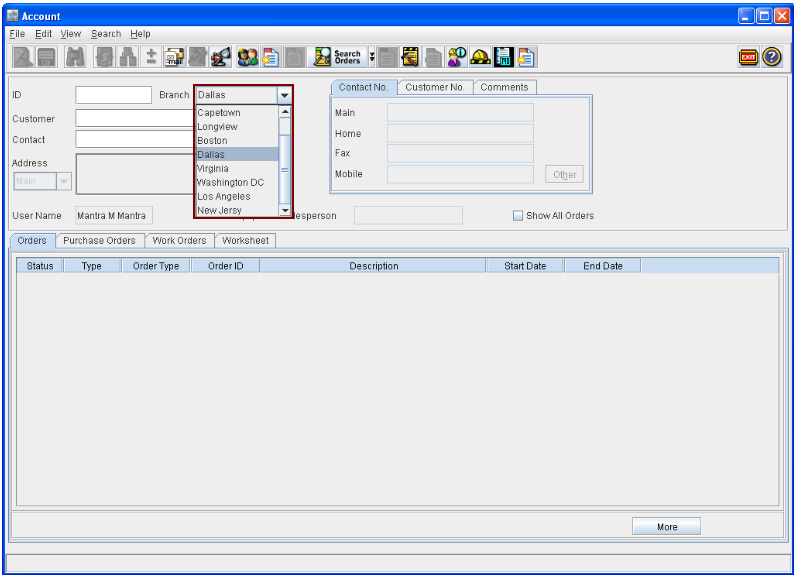
In the Accounts Main window, the Branch field will be displayed as a drop down field, which will display the default branch of the logged-in employee. The user will be able to switch between different branches either by opening the drop down list and selecting a branch from the list present. In addition, a branch can also be selected by keying-in the first few characters of the branch name with branch drop down list as the active field. This can also be done either with the drop down list in expanded status or in collapsed status.
Figure 1.1 Branch Field in Account Window with the Current Branch Displayed
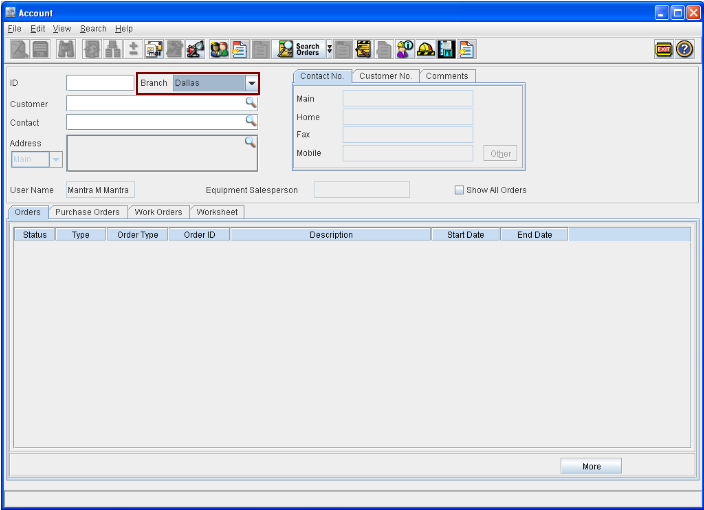
Figure 1.2 Branch Field in Accounts Window with the List of Branches Displayed
Notes:

Branch Name selected will be defaulted to the Branch field of the other feature windows which are opened from here.
With the windows opened for the features, which are opened through Accounts window, then on changing the Branch in Accounts window, system will display the prompt "Some windows are visible, please close them" and will not allow to change the branch unless other windows opened are closed.