Mark de-linked VFS payment as VOID, after Order is re-invoiced
Details
In case of any amount change (increase/decrease) on any Order, it will be re-invoiced. In such case, the previously sought VFS authorization would be ‘De-linked’ from the Order and marked as VOID. So that it cannot be tagged to any other Order or Invoice. Thus, reduce ambiguity or possible chance of wrongful accounting (batch posting) or fraud.
Prerequisite: To simulate this feature, begin with any Order, on which Invoice was generated but not posted.
Sample Workflow
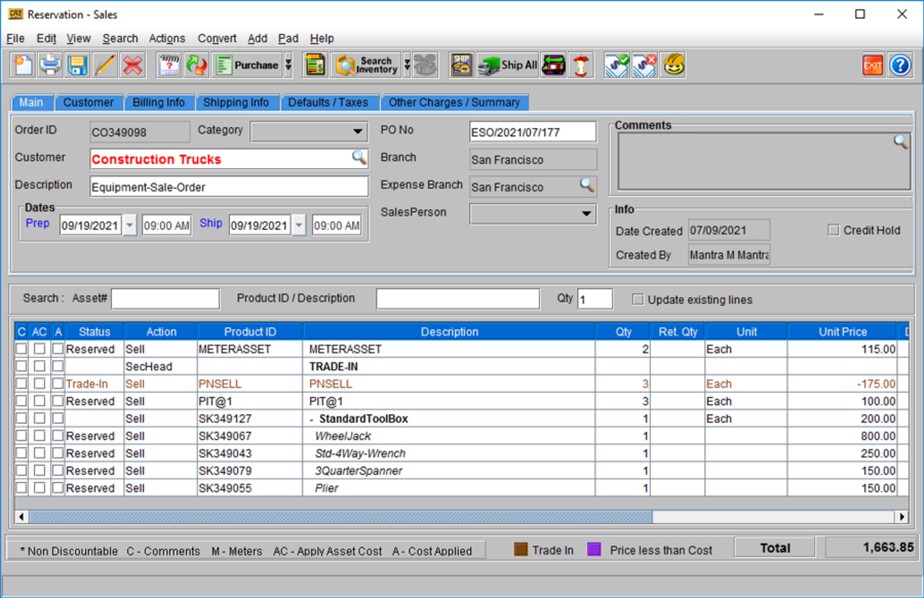
Let’s say we begin with Order [CO349098].
Figure 63: Order [CO349098] with few items added
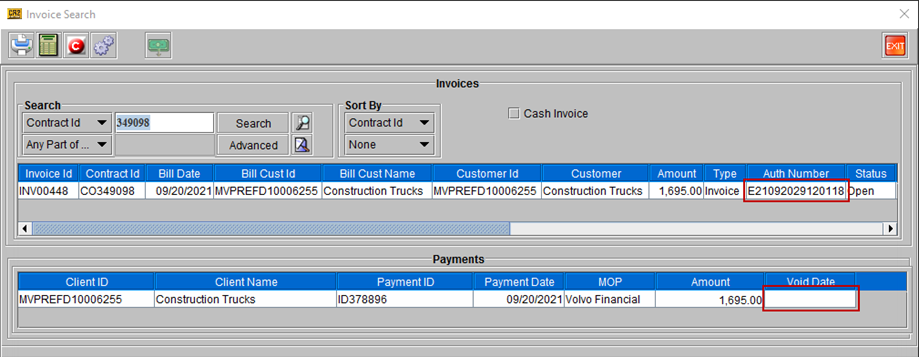
Once the above Order is invoiced, it shows the VFS Authorization number, Payment ID, and Billing Date etc. As displayed, the Invoice has not been posted and invoice is still active.
Figure 64: Invoice [INV00448] for Order [CO349098]
-
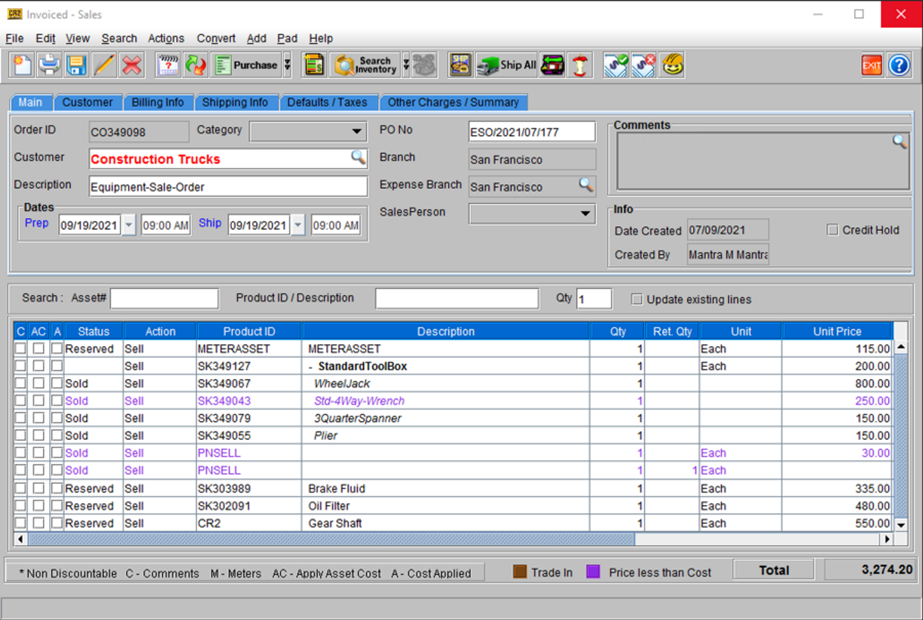
Open the existing Order and edit it to add/delete items or charges, so that the final amount changes.
Figure 65: Modified Order with new items added and updated total amount
-
Get a fresh VFS authorization for the new amount and Invoice the Order.
-
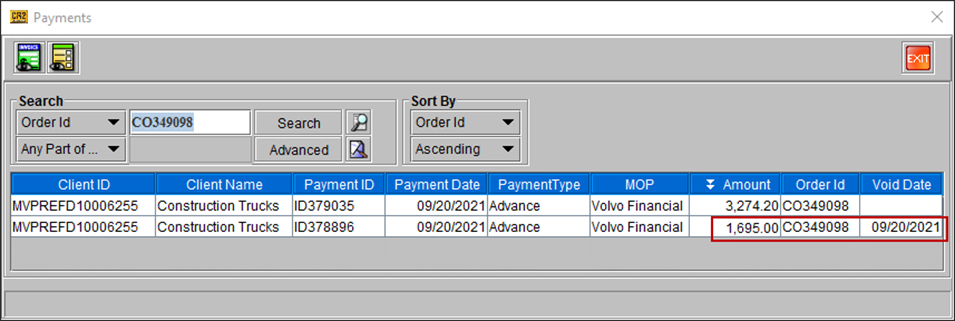
When you open and view payments for the Order, it shows that the previously made payment has been deemed as Void.
Figure 66: Order’s payment detail showing void payment information