Details
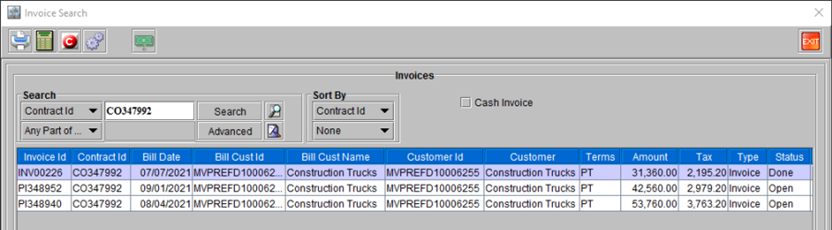
In CR2 while dealing with Rental and RPO (All types of Billing), the system generates only a single invoice in ‘Pay at rent billing’ condition. Though in case of ‘Periodic Billing’ it might generate multiple invoices at various stages of the billing schedule/occurences.
For Example: If the items rented though the Order of type ‘Periodic Billing’ billing, are not returned before the end of billing cycle; then the system automatically generates another invoice for the next billing cycle, as the amount to be charged will not change, and the Pre-Authorization has already been sought when the first invoice was raised.
Note:
-
Sale Return currently supports only Pay at rent and Periodic Billing LOC.
-
Payments will be -ve for Credit memo and sale return invoice.
However, if the Order is created as an ‘Advance Rental’ for more than two months, the Authorization sought and Invoice generated, will still be for only 1 month, and re-generated subsequently for each billing cycle based on the duration of the Order.
Sample Workflow
-
Create a Rental Order with few items added, for more than one month duration.
-
Do the ‘Fill and Ship’ for the items in the Order.
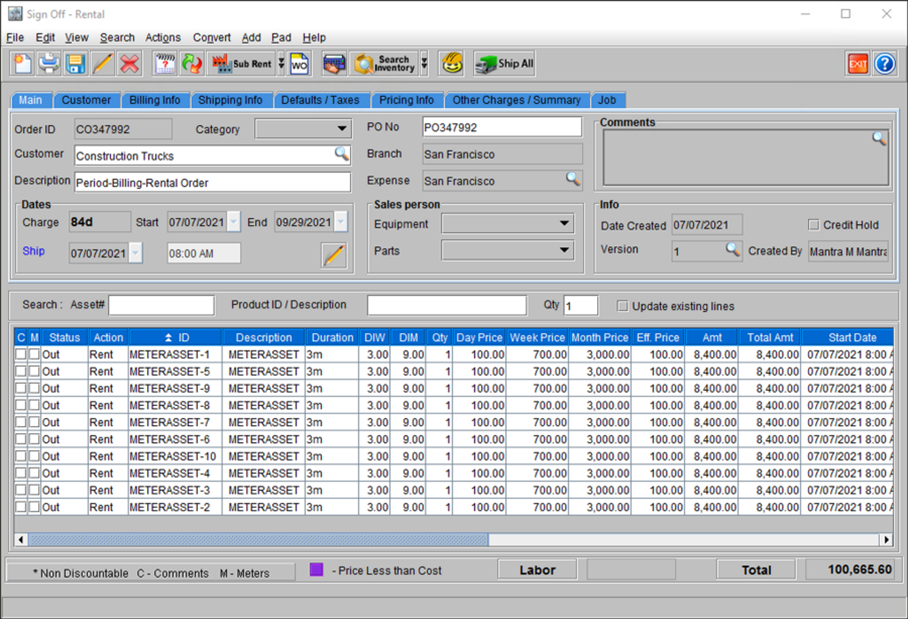
Figure 56: Order ID [CO347992] with ten units of one Item sold and dispatched
-
Go to View > Payment Schedule.
-
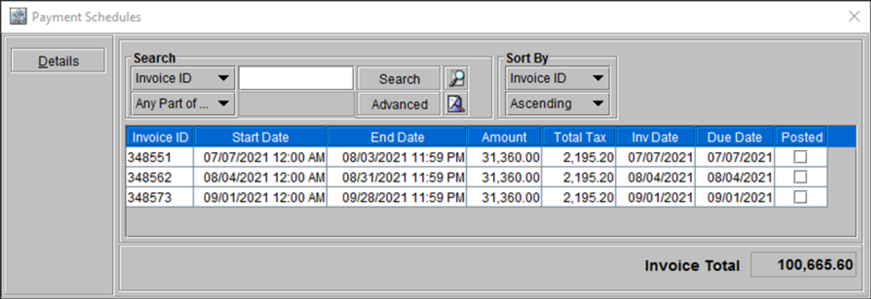
Since the Order’s rental duration is 3 months, it shows three billing cycles.
-
Figure 57: Payment Schedule for the Order ID [CO347992]
-
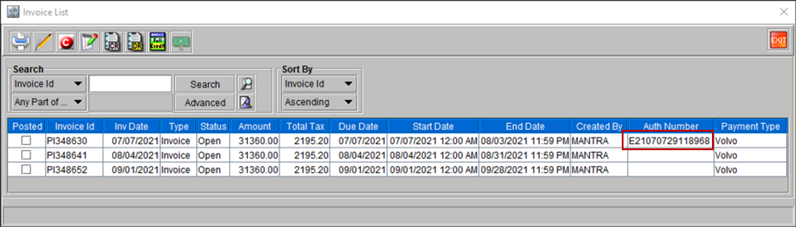
When you Invoice the Order, you will notice a list of invoices. However only the ‘Fist Invoice’, has the Authorization Number is mentioned in it.
Figure 58: List of Invoice(s) for the Order ID [CO347992]
-
Select the first invoice from the list above and Post it.
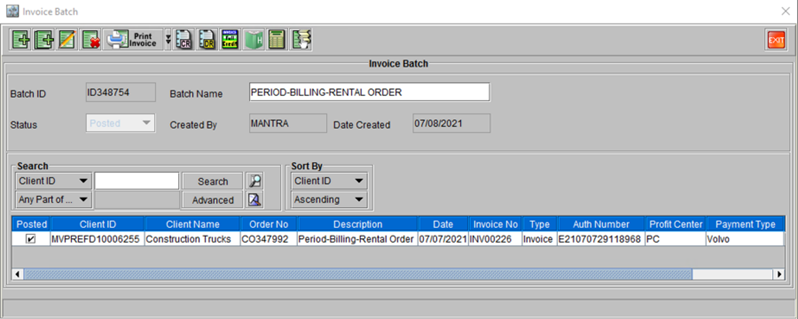
Figure 59: Invoice Posted for the Order ID [CO347992]
-
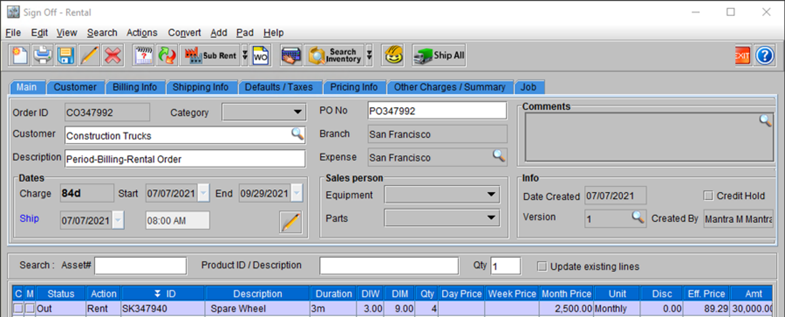
Open the same Order add more items and perform the ‘Fill and Ship’. While Invoicing the Order it does not request of VFS Authorization, the final amount in 2nd Invoice gets changed based on the billing criteria of the items newly added.
Figure 60: Order ID [CO347992] with a new Item [ID: SK347940] added
-
Invoice the modified Order and Post it.
Figure 61: Modified Order with cost of new items added