Getting a VFS Authorization for WO, where the total invoice amount is negative
Details
A WO Invoice generated may have a negative amount on it, if there are returned items related to the Order. In such cases, when the WO is invoiced, a payment record would be created internally, and the payment would be linked to the invoice generated itself, as the total Invoice Amount is lesser than previous amount.
Also, it is possible than the final Invoice amount after processing the return order is an actual negative figure.
Sample Workflow
-
Create an Order for customer with Pay Type as Volvo and save as ‘Schedule’.
-
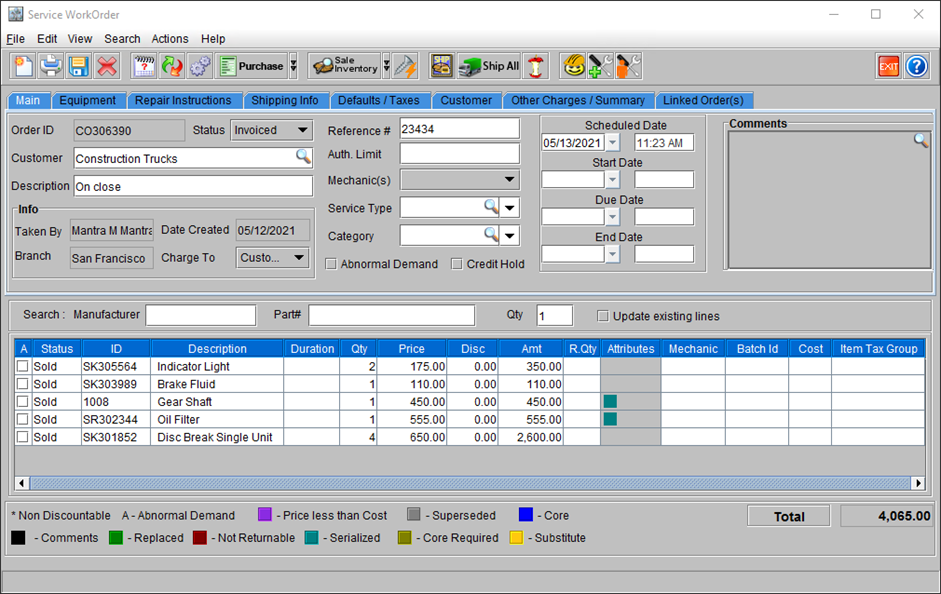
Complete the ‘Fill and Ship’ for the items on the Order. Invoice the Order.
Figure 35: Sample Order [CO306390]
-
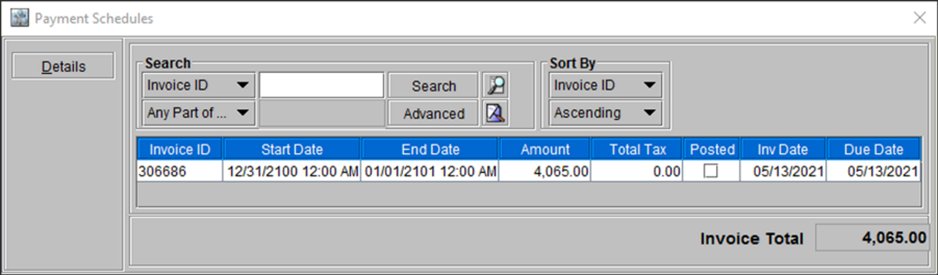
View and validate the Invoice and Payment information.
Figure 36: Payment Schedule for the Order and Pre-invoice Information
-
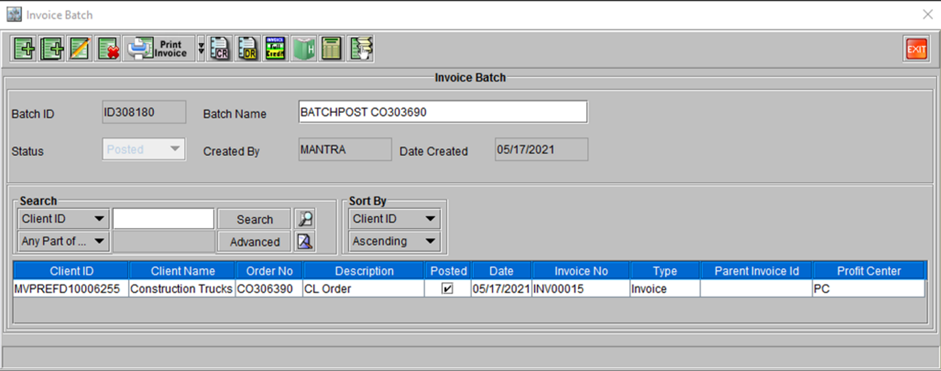
Post the invoice to a batch.
Figure 37: Invoice [INV00015] posted to Batch ID[ID308180] posted to the batch
Note:
-
The return item step can be done in either of the two ways. In the Order and select a line and –
-
Go to Actions > Yard > Return
-
Right-Click > Return
-
-
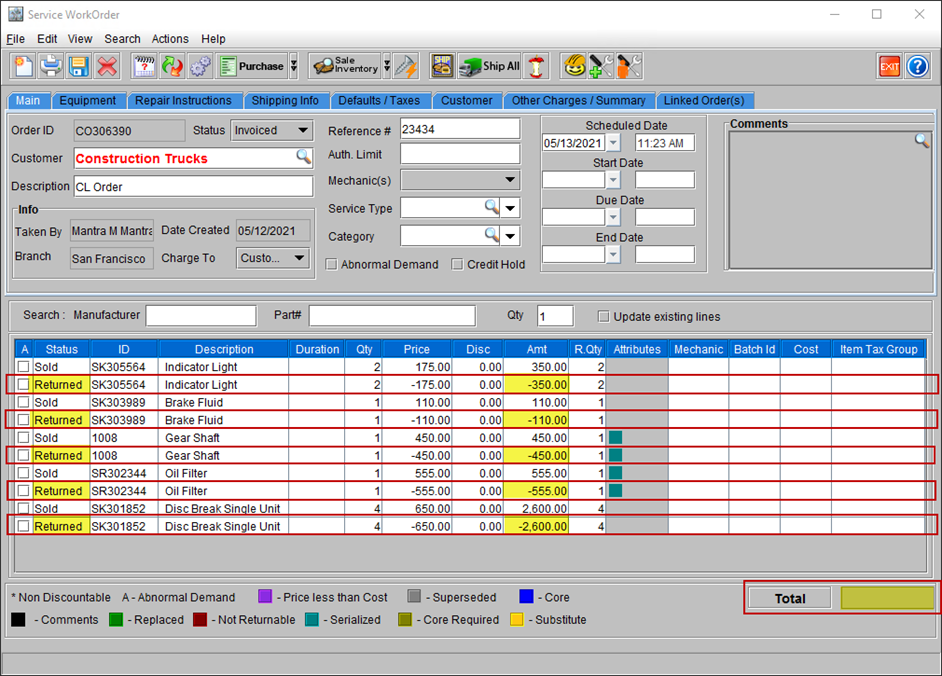
A ‘New’ line displaying the item ‘Price’ in Negative and ‘Status’ as Returned is added to the Item Grid. (As highlighted in the Figure 38 below).
-
The ‘Total Order Amount’ gets reduced accordingly.
-
Repeat the return item step as required and then save and invoice the Order.
Figure 38: Order ID [CO306390] with few items returned
-
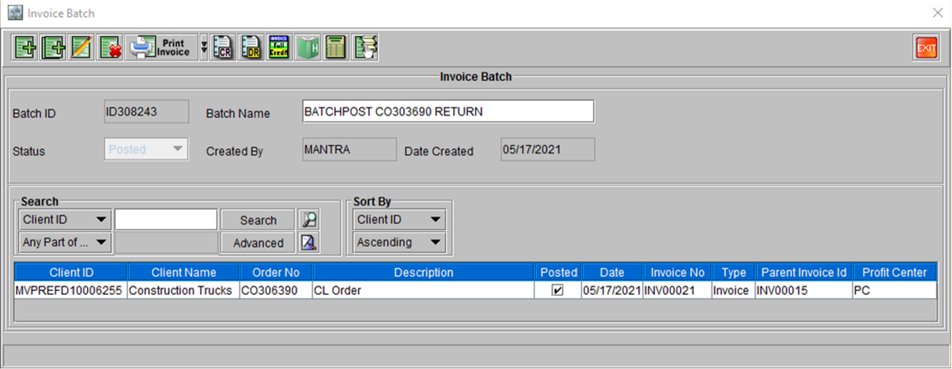
Post the invoice to a batch.
Figure 39: Invoice [INV00021] posted to Batch ID[ID308243]
-
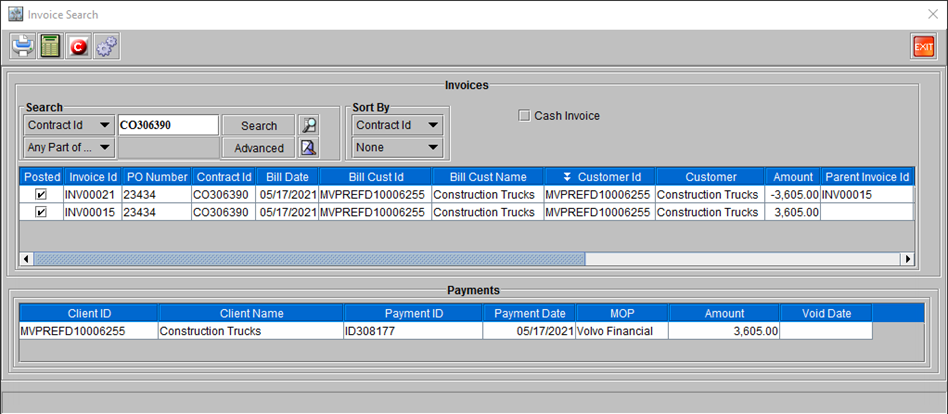
Open the Order [CO306390], go to Search > Invoices using the Order ID.
-
The Invoice windows shows both the Invoices. The Payment information panel shows corresponding payment information for both the Invoices when either of them is selected.
Figure 40: Both the Invoices for Order [CO306390] shown