Reference No: 25504(2.16) 25708
(V 02.00.17-00)
In a Periodic Billing Order, when the Order amount exceeds the Customer Credit Limit, the exceeded amount will be approved. Once the first Invoice is posted, subsequent Invoices will get generated with the Credit Hold check box on the Order selected and the Invoices can be viewed in the Invoice List from the Invoicing module and can be posted in a Batch.
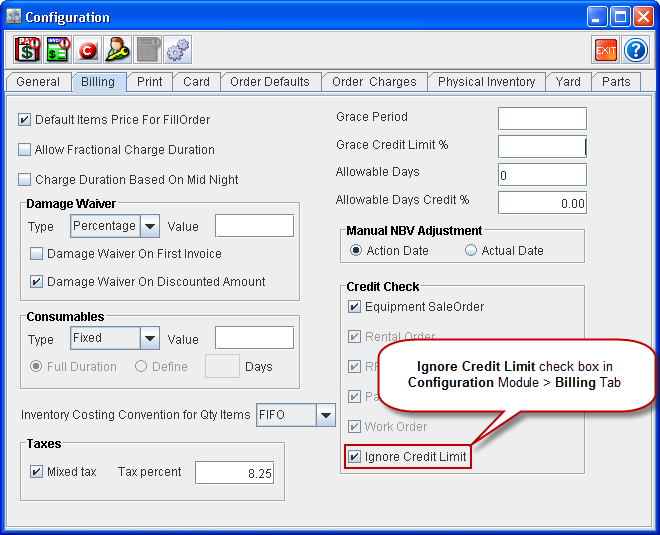
For this functionality to be enabled, the Ignore Credit Limit check box has to be selected within the Configuration module > Billing tab, as shown in Figure 1.0.
When the Ignore Credit Limit check box is:
-
Selected - The system allows you to view the invoices of the periodic billing Order in Invoicing module > Invoice Batch > Invoice List window and add the generated Invoices to Invoice Batches and post them.
-
Cleared - The system functions as it was prior to current version.
Figure 1.0 Ignore Credit Limit Check Box in Configuration Module